
What is backlink analysis and why does it matter?
Backlink analysis is the systematic review of the links connected to your website — both the links your pages point to and the links other sites point to you. It matters because links remain one of Google's strongest ranking signals, and a regular analysis reveals which links are helping you, which are dead weight, and where your competitors are pulling ahead.
Think of it as a health checkup for your site's authority. Rankings do not move in a vacuum — when a page climbs or drops, the link profile almost always tells part of the story. An analysis gives you four things: a clear picture of your current strengths, a list of concrete weaknesses, risks you need to neutralize, and opportunities your competitors have already found.
Analysis also keeps you honest about your link-building. Many site owners build links for months without ever auditing what they earned. A periodic review shows whether your new links are diverse and natural or concentrated and risky — and whether your time would be better spent elsewhere. Backlink analysis also protects the work you already did. A single toxic pattern left unaddressed can quietly undo months of legitimate link-building, and a wave of lost links can explain a ranking drop that no content tweak will fix. When you know your profile's baseline — your domain count, your anchor mix, your growth rate — every future change becomes interpretable. That is the real payoff: not a one-time report, but a standing understanding of how your site's authority is built and where it is vulnerable. For most sites, a quarterly deep analysis plus a quick monthly check is enough to stay in control.
Two kinds of link analysis
There are two sides to link analysis. Outbound link analysis examines the links a page points to — internal links to your own pages and external links to other sites. Inbound backlink analysis examines the links pointing to your domain from other sites. The Link Profile & Broken Link Checker handles outbound analysis by fetching the live page and parsing every link. For incoming backlinks, combine it with a link index like Ahrefs or Majestic and the Links report in Google Search Console.
Outbound analysis answers a different question than inbound analysis. Outbound analysis asks: are you linking wisely? Every external link is a small vote of trust, and linking to spammy, broken, or insecure destinations reflects badly on your own page. Internal links, meanwhile, are how you distribute authority across your own site — orphan pages with no internal links are nearly invisible to search engines.
Inbound analysis asks the opposite question: who is voting for you? This is the side most people mean when they say backlink analysis, because inbound links are the direct ranking signal. It requires a link index database, since you cannot discover every site linking to you just by looking at your own pages. Google Search Console's free Links report is the honest starting point; paid indexes add history and deeper metrics.

Referring domains vs total backlinks: which number actually matters?
Referring domains are the unique websites linking to you; total backlinks counts every individual link. Referring domains matter more because Google treats each new domain as an independent endorsement, while dozens of links from a single domain look like one relationship. Track both numbers, but judge the strength of your profile by domain count first.
Here is a simple comparison. Site A has 500 backlinks from 12 referring domains. Site B has 120 backlinks from 85 referring domains. Site B almost always has the stronger profile, because 85 independent sites decided to link to it. Site A's 500 links may just be sitewide footer links from a handful of partners — impressive on paper, much less impressive to Google.
That does not make total link count useless. It tells you about link density and relationships. A profile where one domain contributes thousands of links is a concentration risk — if that site removes its links, your profile collapses. The healthy pattern is a wide base: many domains, each contributing a modest number of links, growing steadily over time.

- Referring domains — unique sites linking to you. The headline metric of profile strength.
- Total backlinks — every link counted. Useful for spotting concentration and sitewide links.
- Links per domain — divide the two. A ratio above 10:1 from a single domain deserves a closer look.
- New vs lost referring domains — growth in unique domains, not just links, is real progress.
Anchor text analysis: what the clickable words reveal
Anchor text analysis examines the clickable words other sites use when linking to you. It reveals how the web describes your page — and whether that description looks natural or engineered. A natural profile mixes branded anchors, generic phrases, and naked URLs; a profile where every link uses the same commercial keyword is one of the clearest signs of manipulation Google looks for.
Start by listing your top anchors and their share of total links. Then sort them into buckets: branded (your site or company name), exact match (the precise keyword you rank for), partial match (keyword phrases in natural language), generic ("click here," "this guide," "learn more"), and naked URLs (the raw address). Branded and generic anchors should dominate for most sites. Exact-match anchors above roughly 5-10% of the total warrant attention, though there is no magic threshold — patterns matter more than numbers.
Pay special attention to anchors you did not choose. Guest-post bio links, directory listings, and partner pages often carry the anchor text you supplied — and if you supplied the same keyword everywhere, the pattern shows up in analysis. You cannot rewrite other people's links, but you can diversify future link-building and balance your internal anchor text to compensate.

- Branded anchors — your brand or domain name. The safest, most natural anchor type.
- Naked URLs and generic phrases — raw links and "click here" style text. A healthy profile has plenty.
- Exact-match anchors — the keyword itself. Fine in small doses; dangerous when it dominates.
- Image links — linked images with no alt text. They count as links but pass no keyword context.
- Suspicious anchors — adult, pharmaceutical, or casino terms on an unrelated site. Investigate immediately.
Dofollow vs nofollow: why both belong in your analysis
Dofollow links pass ranking authority from the linking page to yours; nofollow links tell search engines not to pass authority. A natural backlink profile contains plenty of both — real sites link naturally with a mix of attributes. An analysis that ignores nofollow links misses a large part of your visibility, since nofollow links still drive traffic and brand exposure.
Modern link attributes come in flavors. Beyond plain nofollow, there is rel="sponsored" for paid or compensated links and rel="ugc" for user-generated content like comments and forum posts. When you audit your own pages, check that sponsored and untrusted outbound links carry the right attribute — paid links without proper tagging violate Google's guidelines. On the inbound side, a profile that is 100% dofollow is actually suspicious; natural link profiles typically skew majority-dofollow but with a visible nofollow minority.
The Link Profile & Broken Link Checker reports the follow/nofollow split for every link on the page you audit. Use it to verify that your own outbound attributes are intentional rather than accidental — a valuable partner link accidentally marked nofollow is a silent authority leak, and a sponsored link marked dofollow is a policy risk.
Link velocity: what your link growth pattern says
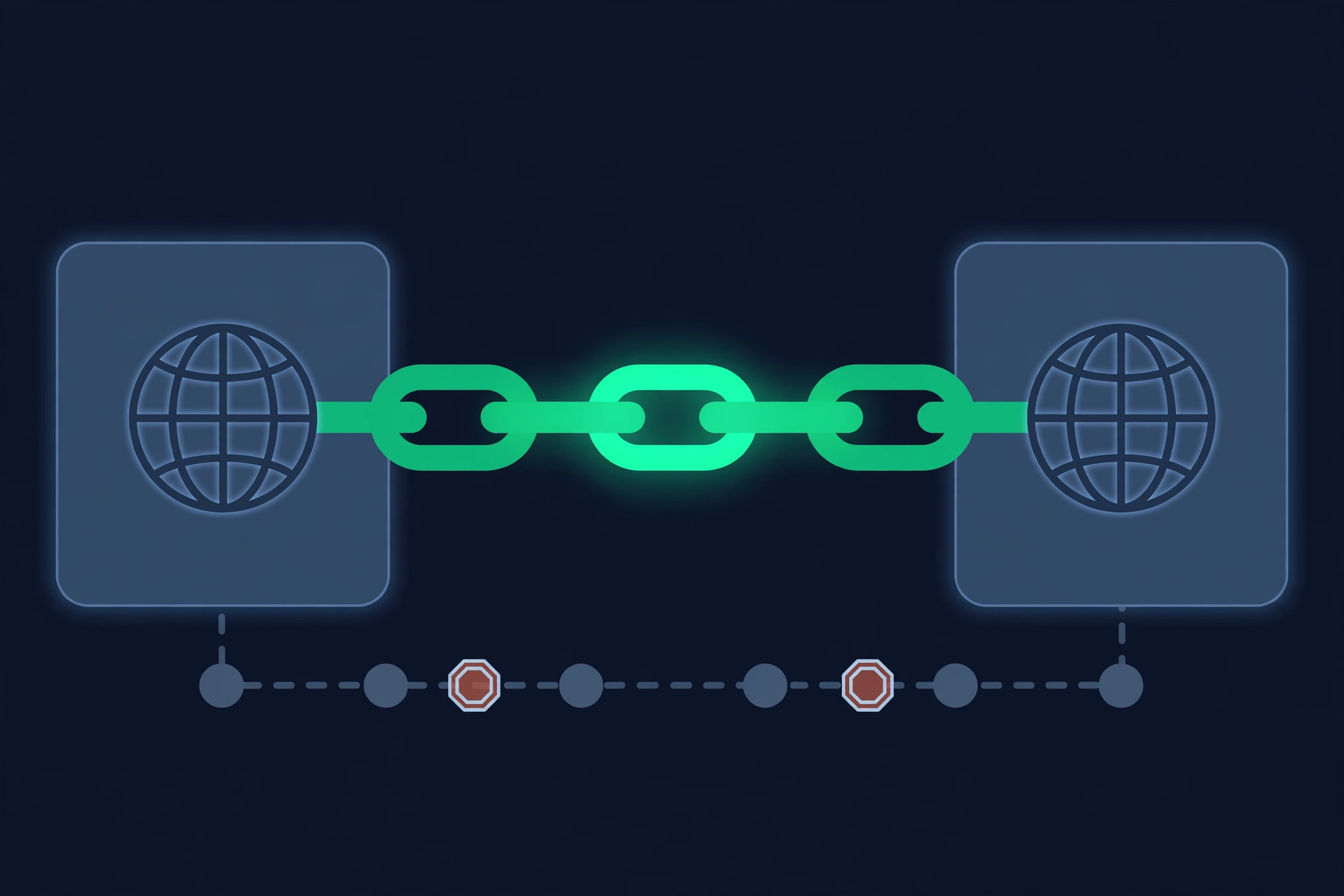
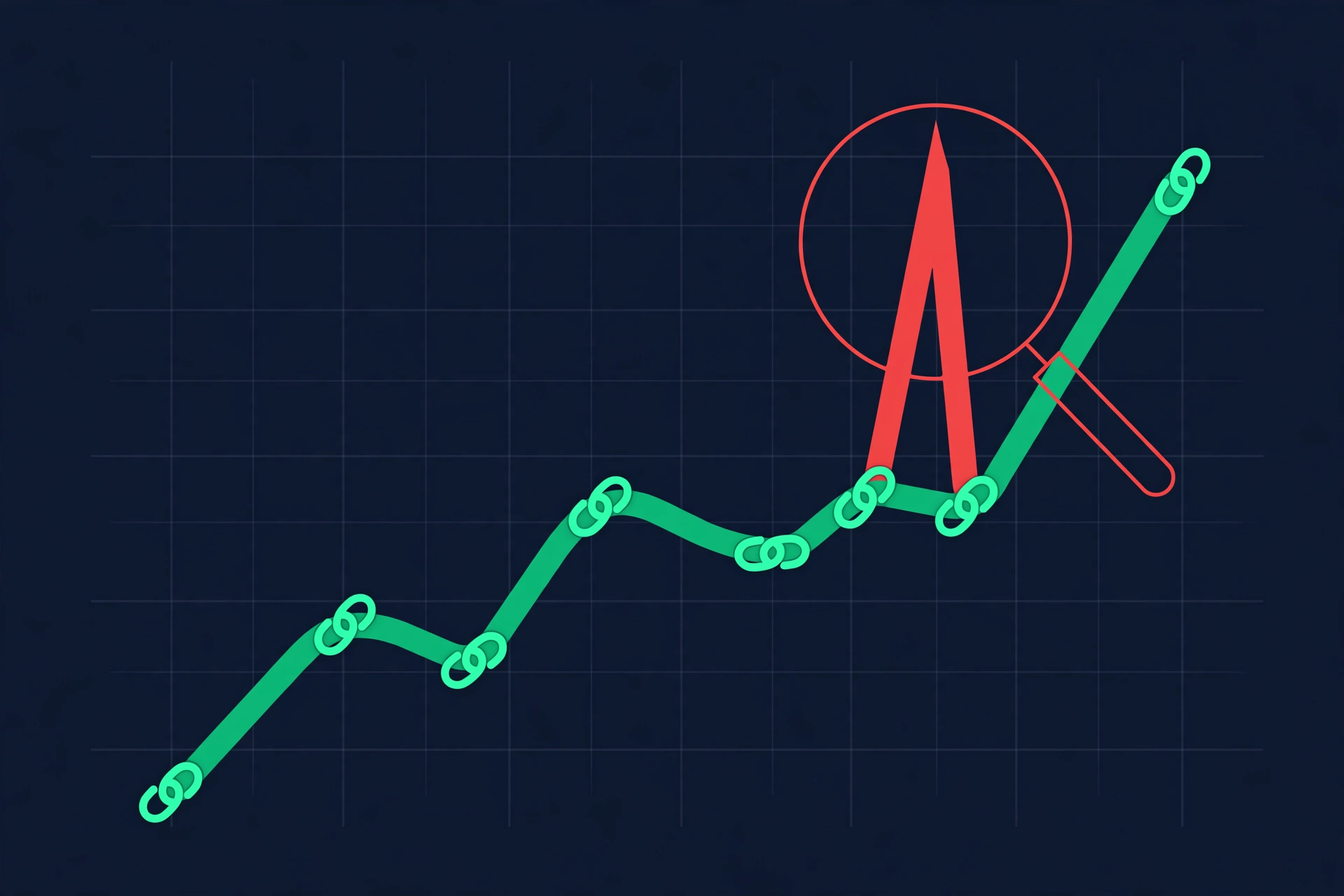
Link velocity is the rate at which your site gains or loses backlinks over time. It matters because unnatural growth patterns are one of the clearest signals of manipulation. A steady, gradual climb looks like real-world earned links; a sudden vertical spike — or a sharp cliff — tells you something specific happened, and an analysis should always find out what.
Start by charting new referring domains month by month over the past year. Normal sites grow in a slightly bumpy but consistent curve, with occasional spikes around genuine events: a product launch, a viral article, a press mention. The red flags are spikes with no corresponding real-world event — hundreds of new domains appearing in a week is the fingerprint of a link scheme, a hacked-site attack, or a negative SEO attempt by a competitor.
Declines deserve the same attention. A gradual slide in referring domains usually means link rot — old pages being deleted across the web — which is normal. A sudden drop often means you lost one or two heavy contributors, like a partner removing a sitewide link. Context turns velocity numbers into insight. A new site gaining twenty referring domains a month is healthy; an established site suddenly gaining two hundred is not, unless a campaign explains it. Compare your curve against the niches you compete in — some industries naturally attract faster link growth because journalists and bloggers cover them constantly. The question is never whether the number is big; it is whether the pattern matches how real sites in your space actually earn links. Track velocity monthly, investigate anything that breaks the pattern, and always compare against your rankings timeline to see whether growth and positions move together.
- Map new referring domains per month for the last 12 months.
- Mark spikes and find the real-world cause — or confirm there isn't one.
- Watch for drops after site migrations, redesigns, or partner changes.
- Compare your velocity curve with competitors ranking above you.
How to spot toxic and spammy links
A toxic link is one that is more likely to harm your profile than help it — typically links from spam networks, hacked pages, or schemes designed to manipulate rankings. Spotting them is a core part of backlink analysis, but context matters: Google is now good at simply ignoring most spam links, so not every ugly link is a crisis. Your job is to separate genuine risk from background noise.
The clearest toxic patterns are easy to recognize once you know them. Watch for clusters of links from sites with no real content — auto-generated pages, spun articles, or directories that accept anyone. Foreign-language sites with no connection to your topic, links stuffed into footers and sidebars across hundreds of pages on one domain, and links with adult or pharmaceutical anchor text on unrelated sites all signal spam. Paid links without sponsored or nofollow attributes are a policy violation, not just a quality problem.
Triage matters more than panic. A handful of spammy links among thousands of good ones is normal background noise — every site on the web attracts some. The links worth acting on are patterns: dozens or hundreds from the same spam network, a sudden influx you did not earn, or links from outright malicious sites. Try to get genuinely harmful links removed first by contacting the site owner; Google's disavow tool is the last resort for links you cannot remove, and it should be used carefully and sparingly.

Competitor backlink analysis: reverse-engineer the winners
Competitor backlink analysis means studying the link profiles of the sites outranking you to learn what is working in your niche. It is one of the highest-leverage parts of backlink analysis, because it turns guesswork into a concrete list: these are the domains linking to the winners, some of them may link to you too, and here is the gap you need to close.
Start with three to five competitors that consistently rank above you for your target keywords — use the Competitor Rank Checker to confirm who actually holds those positions. Pull their referring domains and compare totals: if the winners each have 200+ quality referring domains and you have 30, you have found your primary ranking gap. Then look for overlap — domains that link to two or more competitors but not to you are your warmest prospects, because they clearly link to sites like yours.
Not every competitor link is worth chasing. Evaluate each opportunity the same way you evaluate your own links: is the site real and relevant, would your audience actually visit it, and does the link make editorial sense? A competitor's spammy links are not a model — they are a warning. Build your target list from the links that pass that test, then do genuine outreach with something worth linking to. One earned link from a competitor's best source beats ten copied from their worst.

- Identify 3-5 competitors that consistently outrank you for target keywords.
- Compare referring domain counts to size the gap honestly.
- Find domains linking to multiple competitors but not to you.
- Prioritize real, relevant sites — ignore their spammy links.
Lost backlinks: why disappearing links deserve your attention
Lost backlinks are links that used to point to your site but no longer do. Monitoring them matters because a strong link profile can quietly erode: pages get deleted, sites get redesigned, partnerships end, and domains expire. A monthly lost-links check catches the erosion early, when a polite email can often get the best links restored.
Links disappear for predictable reasons. The linking page was removed or its site was redesigned. The site owner replaced your link with a competitor's during a content refresh. A partnership, sponsorship, or directory listing ended. Or the linking domain expired and was never renewed. Reclaiming starts with the highest-value losses. Sort lost links by the linking page's authority and relevance, then contact the site owner with a short, specific note: mention the page that used to link to you, where the link appeared, and why restoring it helps their readers too. If the link broke during a redesign, offering the correct replacement URL makes the fix effortless. Track your outreach and the restored links — a healthy recovery rate is one of the best signals that your link relationships are real, not rented. The first three categories are often recoverable — the fourth usually is not, but it tells you to stop counting on it.
Make lost-link review a monthly habit using your link index's lost-links report, or quarterly via Google Search Console by comparing top linking sites over time. Prioritize recovery by the link's value: a lost link from an authoritative, relevant page deserves an outreach email within days. Keep the message short and friendly — site owners often restore links that broke during a redesign simply because nobody told them. Recovered links are the cheapest links you will ever earn, because the relationship already existed.
What to examine in a link profile
A link profile is the complete set of links touching a page or domain — what it links to and what links to it. Examining it systematically means checking the same handful of elements every time, so nothing important hides behind a big total number. The checklist below is what a thorough profile review covers.
- Internal vs external links — a healthy page links to related content on its own site and to authoritative external sources.
- Follow vs nofollow — follow links pass authority; nofollow links (rel="nofollow") tell search engines not to. Sponsored or untrusted links should be nofollow.
- Anchor text — the clickable text of a link. Descriptive, natural anchor text helps; repetitive exact-match anchor text looks manipulative.
- Referring domains — the unique domains you link to (outbound) or that link to you (inbound). Diversity matters more than raw count.
- Suspicious links — outbound links to spammy, low-quality, or insecure (HTTP) destinations can drag down the page that hosts them.
- Broken links — links pointing to 404 pages waste crawl budget and hurt user experience. The free broken link checker lists every dead link on a page with its exact status code.
- Link placement — contextual links inside real content carry more weight than footers, sidebars, and author boxes.
Read the elements together, not in isolation. A page with strong referring-domain diversity but 90% exact-match anchor text still has a problem. A page with a healthy follow/nofollow split but dozens of broken outbound links is bleeding trust. The profile score from the Link Profile & Broken Link Checker rolls these signals into one 0–100 number for a quick read, but the real insight always comes from the breakdown behind the score.
Common link profile problems
Every audit surfaces problems — the point is knowing which ones are urgent and which can wait. The red flags below are ordered roughly by how much damage they do, starting with the ones that actively hurt you and ending with the ones that quietly hold you back.
- Broken links — links pointing to 404 pages waste crawl budget, frustrate visitors, and signal neglect. Fix or remove them first; they are the cheapest wins in any audit.
- Outbound links to low-quality or unrelated sites — you are lending your page's trust to pages that do not deserve it. Audit where your external links actually go.
- Over-optimized anchor text — if every internal link uses the exact same keyword, it looks unnatural. Vary anchors the way a real writer would.
- Spammy inbound links at scale — a pattern of links from link farms or hacked sites needs review and, in rare cases, disavowal.
- Missing internal links — orphan pages with no internal links are hard for Google to find and rank. Link your important pages into the site's structure.
- Wrong link attributes — sponsored links marked dofollow violate Google's policies; valuable editorial links accidentally marked nofollow leak authority.
- Insecure outbound links — linking to HTTP sites instead of HTTPS is a minor trust signal, but it is easy to fix during the same pass.
Do not try to fix everything in one sitting. Clear the broken and suspicious links first, then work through attributes and anchor text page by page. Link profile health compounds — small, consistent cleanups across your most important pages beat one heroic overhaul of a page nobody visits.
How our free Link Profile & Broken Link Checker works
Our free tool audits the links ON your page — the outbound and internal link profile — including broken-link detection. It does not show you a database of the sites linking TO you, because true inbound backlink data comes from massive crawled link indexes that are expensive to maintain. For inbound data, use Google Search Console's free Links report or a paid index like Ahrefs or Moz. Knowing what each tool does keeps your analysis honest.
Here is exactly what the Link Profile & Broken Link Checker does when you run it. It fetches the live HTML of the URL you enter and extracts every link on the page — internal, external, and everything in between. Each link is then classified: internal vs external, follow vs nofollow, and by its anchor text. The tool checks every link's destination for problems, flags suspicious or insecure destinations, detects broken links, and summarizes anchor-text distribution so over-optimization patterns are visible at a glance.
- 1Paste the full URL of the page you want to audit into the Link Profile & Broken Link Checker.
- 2Run the check. The tool fetches the live HTML and extracts every link.
- 3Review the breakdown — internal/external counts, follow/nofollow ratio, anchor-text distribution, referring domains, and flagged suspicious links.
- 4Read the 0–100 link profile score to see overall health at a glance.
- 5Repeat for your most important pages — homepage, top landing pages, and money pages first.
Use the tool for what it is genuinely good at: auditing the links you control. Read the 0–100 score as a triage aid, not a grade. A score in the 80s and 90s means your outbound profile is clean — broken links fixed, attributes correct, no suspicious destinations. A score in the 50s or below means something specific is dragging it down, and the breakdown tells you what. Re-run the check after each cleanup round; watching the score climb as you fix issues is the simplest way to confirm your work is complete before you move on to inbound analysis. Your outbound and internal link profile is the half of link analysis most site owners never touch, and it is the half you can fix immediately, for free, without anyone else's permission. Pair it with Search Console for the inbound half, and you have a complete picture without paying for a single subscription.
Your step-by-step backlink analysis workflow
A backlink analysis workflow is a repeatable sequence: gather your data, audit what you control, measure what points to you, compare against competitors, and turn the gaps into an action list. Follow it in order, and a process that feels overwhelming becomes a calm afternoon of structured work. The whole thing takes two to four hours for a small site, and it gets faster every quarter.

- 1Gather inbound data — export your referring domains and top links from Google Search Console's Links report or a link index.
- 2Audit your outbound profile — run your key pages through the Link Profile & Broken Link Checker and fix broken links, bad attributes, and suspicious destinations.
- 3Analyze anchor text — bucket your top anchors and flag over-optimized or suspicious patterns.
- 4Check velocity — chart referring-domain growth for 12 months and investigate any spikes or cliffs.
- 5Study competitors — compare referring domains against 3-5 sites outranking you and list the gap.
- 6Review for toxic patterns — triage spammy clusters, attempt removal for genuinely harmful links, disavow only as a last resort.
- 7Prioritize actions — quick fixes this week, outreach this month, strategy this quarter.
Run the full workflow quarterly and a lighter version monthly: re-check the outbound audit on pages you edited, glance at velocity, and scan for new toxic patterns. Tie each cycle to a rank check with the SEO Rank Checker so you can see whether link improvements and position changes move together — that feedback loop is what turns analysis into strategy.
What to do with your findings
Analysis without action is just trivia. Every finding from your audit should land in one of three buckets: fix now, fix this month, or build on this quarter. The quick fixes — broken links, wrong attributes, suspicious outbound destinations — go first because they cost nothing and carry no risk. Anchor-text cleanup and internal-link improvements follow, because you control them completely.
The strategic bucket is where the real gains live. Competitor gap links become your outreach list. Lost-link recovery becomes a short monthly routine. Toxic-link triage becomes a quarterly check rather than a crisis. And everything gets measured: pair the link audit with an on-page audit using the On-Page SEO Score Checker and a rank check with the SEO Rank Checker to see whether your fixes move the needle.
Keep a simple log of what you changed and when. Set a baseline the first time through: record your referring-domain count, your top anchors, your follow/nofollow split, and your link profile score for your key pages. Every future audit gets compared against that baseline, which turns vague impressions into measurable progress. Small sites often see the biggest wins here — cleaning up ten broken links and fixing three bad attributes can lift a page's score dramatically, and a documented baseline proves the effort was worth it. Three months later, when rankings shift, that log is the difference between guessing and knowing. Backlink analysis is not a one-time project — it is a maintenance habit, and the sites that treat it that way are the ones whose link profiles quietly compound year after year.