

Why local rankings are different
For queries with local intent — "plumber near me", "dentist in Austin", "best coffee shop" — Google prioritizes nearby businesses and shows a local map pack above the organic results. The same keyword can rank #1 nationally but #8 in a specific city, or vice versa. National rank tracking hides this; local rank tracking shows what the customers in your city actually see.
The differences run deeper than a city name on a report. Two customers searching the same keyword at the same moment can see two completely different result sets — one standing downtown, another in the suburbs — because Google localizes to the searcher's exact position, not just their city. A dentist ranking #1 from an office on Main Street may drop to #7 when the same search happens four miles away. National tools average all of that into one meaningless number; a proper local rank tracker checks the locations your customers actually search from.
How to check local rankings
- 1Enter your domain and a keyword with local intent into the Local Rank Checker.
- 2Choose the city or region you want to track.
- 3Pick the country and device your customers use.
- 4Run the check to see your rank, the local pack, and the top 10 for that location.
The tool shows whether a local pack appears for the query, your position in it, the three businesses featured with their ratings and review counts, and the local organic top 10 — so you know exactly where you stand in that market.
Run each keyword on both desktop and mobile if your customers use both. The mobile local pack behaves differently — it often shows fewer organic results and pushes the map higher, so a business invisible on desktop can hold a strong mobile position. Pair your rank checks with the Google Maps Rank Checker too, because customers searching directly in the Maps app see a different ordering than they do in web search.
What the local pack tells you
The local pack is the set of three businesses Google displays above organic results on a map. Appearing in the pack drives the majority of clicks for local searches. It is influenced by your Google Business Profile, proximity to the searcher, reviews, and local citations — not just traditional SEO signals. If your competitors are in the pack and you are not, focus on your Business Profile and reviews first.
Look at the pack as a whole, not just your position. If the same competitor holds the top spot across every keyword you care about, study their profile: more reviews, better photos, a more relevant category. Also note that the pack rotates — Google shuffles the three featured businesses between searches, especially on mobile. Tapping "More businesses" opens the Local Finder, a longer list worth tracking as well, since ranking #4 there still beats ranking #11 in organic.
How to improve local rankings
- Complete and verify your Google Business Profile — accurate hours, photos, categories, and service areas.
- Earn reviews consistently and respond to them.
- Build consistent name-address-phone citations across directories.
- Create location-specific landing pages for each city you serve.
- Audit those pages with the On-Page SEO Score Checker to ensure they are well-optimized.
Work these in order of impact. Start with the Google Business Profile and reviews — they carry the pack more than anything else — then fix citations, then build location pages. To make reviews a habit instead of a chore, generate a one-click review link with the Google Review Link Generator and hand it to every happy customer at checkout.
Track local rankings over time
Like national rankings, local positions fluctuate. Check the same city and keyword weekly to see the trend. Pair local tracking with the SEO Rank Checker for national positions and the Bulk Rank Checker to track many keywords at once. Together they give you the complete rank-tracking picture.
Establish your baseline before you change anything. Record where you stand across your target cities and keywords today, so future movement has something to compare against. Local results shift with review activity, profile edits, and competitor moves — sometimes faster than national rankings — so a steady routine of checks matters more here than anywhere else. If you also track general positions, the SEO guides on checking keyword rankings explain how the national side works without repeating the local tactics in this guide.
How does Google know where your customers are?

Google builds a location estimate from several signals at once: your device's GPS when you share it, your IP address, nearby Wi-Fi networks, Bluetooth beacons, and your search history — including recent locations and past searches. On mobile, GPS usually wins; on desktop, IP-based estimates are common. Together they decide which businesses Google thinks are "near" you, and therefore which ones show up in your local pack.
- GPS and device location — the most precise signal, dominant on mobile. When location services are on, Google knows within a few meters.
- IP address — the main desktop signal. It places the searcher in a general area, but can be off by miles (or show the wrong city entirely on corporate or VPN connections).
- Wi-Fi and Bluetooth — Google cross-references nearby networks against its database of known access points to refine position, even indoors.
- Search history and account data — past searches, saved places, and recent locations nudge results toward places Google thinks you prefer.
This is why searching Google yourself is a terrible way to check local rankings. Your own GPS position, your search history, and the businesses you've clicked before all warp what you see — incognito mode only partly fixes it. A proper local rank tracker neutralizes your personal signals and checks the rankings from the searcher's point of view: a fixed location, a clean slate, every time.
Local pack vs. organic vs. Google Maps: which rankings matter?

The local pack is the map box of three businesses at the top of Google's main results; organic local rankings are the classic blue links below it; Google Maps rankings decide what shows in the Maps app itself. All three matter, but the pack drives the most calls and directions because it sits above the fold and shows reviews, hours, and a tap-to-call button — the fastest path from search to customer.
Each surface runs on a different algorithm, so you can win one and lose another. The local pack weights your Google Business Profile, proximity to the searcher, and reviews most heavily. Local organic results weigh traditional SEO signals — content quality, backlinks, on-page optimization — plus location relevance. Google Maps rankings resemble the pack but respond more strongly to map-specific behavior like direction requests, saved places, and local engagement. A dentist in Denver can dominate the Maps app while sitting on page two of organic, or rank #1 organically with a weak profile that keeps it out of the pack.
- Track the local pack for keywords where the map box appears — it captures the largest share of local clicks.
- Track local organic positions for the longer tail: neighborhood queries, service-plus-city terms, and informational searches where no pack shows.
- Track Google Maps rankings separately if your customers find you by navigating — food, retail, services with walk-in traffic — using the Google Maps Rank Checker.
For most local businesses, the priority order is pack first, Maps second, organic third — but don't ignore organic entirely. Pack eligibility itself draws on website signals like local content and citations, so the three surfaces reinforce each other. A business that wins all three for its money keywords effectively owns the search results page.
What is geo-grid rank tracking?

Geo-grid rank tracking checks your position at many points across a map instead of one city center. A 3x3 grid samples nine points, a 5x5 samples twenty-five, and each point shows whether you rank at that exact spot. It reveals the visibility gaps a single city-level check hides — like ranking #2 downtown but #15 three miles east, where your best customers might live.
A standard city-level check answers "where do I rank in Austin?" A geo-grid answers "where in Austin do I rank?" — a far more useful question for a business with a physical address or a defined service area. The grid output usually renders as a heat map: green where you dominate, fading to red or gray where competitors own the pack. Those weak zones become your action list — they often overlap with neighborhoods worth targeting in ads, content, or review campaigns.
- Use geo-grids for service-area businesses (plumbers, HVAC, roofers) whose customers are spread across a region.
- Use them for storefronts in competitive metros where a few blocks make the difference between #1 and invisible.
- Skip them for small towns or rural areas where one city-level check covers the whole market — a grid there just repeats the same answer.
- Re-run grids monthly or after major changes (new location, category change, review surge) rather than weekly — the pattern moves slower than single-point rankings.
Start with your money keyword and your most important location. One clean grid on one keyword teaches you more about your local visibility than a spreadsheet of single-point checks across fifty keywords you don't care about.
How to choose the right grid size for your business
Match the grid to the size of the area you actually serve. A 3x3 grid covers a single neighborhood or small town well; a 5x5 suits most city-wide service businesses like plumbers and HVAC companies; metro-wide coverage usually needs 7x7 or larger. Going bigger than your real service area just adds noise — and in paid tools, extra cost — without changing any decision.
Think about spacing, not just the grid number. Nine points packed into a two-mile square tell you how a plumber in Chicago competes across a few neighborhoods; the same 3x3 spread across a whole metro tells a roofer almost nothing useful. A good rule: set the grid so adjacent points sit about as far apart as the distance between your main customer clusters. If your customers drive twenty minutes to reach you, your grid points can sit several miles apart; if they walk, keep it tight.
- Storefronts with walk-in traffic — 3x3 or 5x5 centered on the business, points close together (a few blocks apart).
- Home-service businesses — 5x5 or 7x7 covering the full service area, aligned with the ZIP codes you bid on in ads.
- Multi-neighborhood cities — one grid per priority district instead of one giant grid, so weak zones stay visible.
- Rural and small-town businesses — skip grids; a single city-level check with the Local Rank Checker is usually enough.
Review your grid after the first run. If every point returns nearly the same rank, the grid is too small or the market too thin — widen the spacing or drop back to single-point tracking. If the map looks like confetti, you may be sampling outside your real market; tighten it.
Should you track rankings by ZIP code or by city?

Track at the level your customers actually live and search from. ZIP-code tracking is sharper because it pins each check to a real neighborhood; city-level tracking averages everything into one blurry number. If your city has clear neighborhoods with different competition — say, downtown Chicago versus the suburbs — ZIP-level checks show you which neighborhoods you're winning and which you're losing.
City-level tracking is fine for small markets: if your whole service area is one ZIP code, or your town has a few thousand people, a city check and a ZIP check return the same thing. It breaks down in large metros. "Dallas" as a search location centers on downtown, but your customers in Plano or Arlington see different packs — and different winners. Treating Dallas as one number hides all of that.
- Start with the ZIP codes that already send you customers — your CRM or Google Business Profile insights show where direction requests come from.
- Add the ZIPs you want to grow into, not every ZIP in the metro; ten to twenty targeted ZIPs beat a hundred you never act on.
- Use the exact ZIP-plus keyword combos in content too — "emergency plumber 75201" style pages rank well for neighborhood searches.
- Keep city-level checks running alongside for the headline number, and use ZIP checks for the operational detail.
One caution: don't drown in data. Each extra ZIP multiplies your keyword count, and a report nobody reads is worthless. Pick the ZIPs that map to revenue, review the trend monthly, and expand only when the first batch is healthy.
The proximity factor: how distance shapes your local rankings

Proximity — how close your business is to the searcher — is one of the strongest local ranking signals. All else equal, the closer business wins. Google's results decay fast with distance: ranking #1 a mile away can become #8 three miles away. You can't change your address, but you can beat a closer competitor with a stronger profile, more reviews, and better local content.
Proximity behaves differently for storefronts and service-area businesses. A restaurant's rankings fall off sharply with distance because the searcher will walk or drive there. A plumber's service area, set in the Google Business Profile, tells Google where the business is willing to travel — but the business's actual location still anchors the rankings, and the far edge of the service area usually ranks weaker than areas near the shop. If your rankings fade exactly at the service-area boundary, that's proximity doing its work.
- Watch the decay pattern: if you rank well near your address and fade evenly outward, proximity is the limiter — push reviews and profile strength to stretch your reach.
- If you rank poorly even close to home, proximity isn't the problem — profile completeness and relevance are.
- For service-area businesses, keep the service area honest. Stuffing fifty ZIPs into the profile doesn't extend your rankings; it just dilutes relevance.
- Build location pages for the neighborhoods at your edges with genuine local content — real photos, local landmarks, area-specific services — not thin city-name swaps.
The practical takeaway: proximity sets your baseline, prominence sets your ceiling. You can't move closer to every customer, but every review, photo, and citation you add raises the distance at which you still outrank a closer but weaker competitor.
NAP consistency: keeping your business details identical everywhere

NAP consistency means your business name, address, and phone number appear exactly the same across Google, directories, and your website. Small mismatches — "St." versus "Street," a different suite number, an old phone number — confuse Google's trust in your listing and can quietly drag down your local rankings. One canonical version everywhere is the fix.
Citations are every place your business details appear: Yelp, the Better Business Bureau, Facebook, Apple Maps, industry directories like Angi or Healthgrades, and local chamber of commerce pages. Google cross-references these to confirm your business is real and located where you claim. A handful of consistent, authoritative citations beats dozens of sloppy ones — quality and accuracy matter far more than volume.
- Name variations — "Joe's Plumbing" on Google but "Joe's Plumbing LLC" on Yelp. Pick one legal-ish name and use it everywhere.
- Address formatting — "Suite 200" vs "Ste. 200" vs missing suite. Copy the USPS-standard format of your address exactly.
- Old phone numbers — a number you changed three years ago still floating on directories. One primary number everywhere.
- Old addresses — a previous location still listed on aggregator sites. Claim and update or remove them.
Audit your citations once a quarter. Search your business name plus phone number and your name plus address — you'll surface duplicates and outdated listings fast. Fix your Google Business Profile and website first, then work through the major directories; aggregators feed dozens of smaller sites, so cleaning the big sources often fixes the long tail automatically.
Google Business Profile: the settings that move local rankings

Your Google Business Profile is the single biggest controllable lever for local rankings. The settings that matter most: the correct primary category, accurate hours including holidays, a complete list of services, real photos updated regularly, and the right service areas. A half-filled profile loses to a complete one even when the businesses are otherwise equal.
- Primary category — the most important field. Choose the category that describes your core service ("Plumber," not "Plumbing supply store"). Add secondary categories only for services you genuinely offer.
- Hours — keep them current, including holiday hours. Businesses marked "open now" get a visibility edge in after-hours searches.
- Services and products — list every service with plain-language descriptions. These feed the relevance signal for specific queries.
- Photos — businesses with recent, real photos get more clicks and engagement. Add new ones monthly; exterior, interior, team, and work-in-progress shots all help.
- Attributes — wheelchair access, women-led, LGBTQ+ friendly, and dozens more. Accurate attributes help you appear for filtered searches.
- Service areas — for service-area businesses, list the areas you truly serve; don't inflate it.
Two often-overlooked features: Google Posts and the Q&A section. Posts keep your profile fresh and give you space to promote offers and updates — they take five minutes a week. The Q&A section lets anyone ask questions on your listing, so seed it with the questions customers actually ask and answer them yourself before a stranger does.
Do customer reviews actually improve local rankings?

Yes — reviews are one of the most influential local ranking signals. Quantity, average rating, recency, and even the words customers use in review text all feed into Google's judgment of your prominence. A steady stream of fresh reviews also lifts your click-through rate in the pack, which compounds into more calls and more reviews.
Review velocity matters more than most businesses realize. Ten reviews a year ago look stale next to a competitor adding five a month. Google reads freshness as a sign the business is active and trusted right now. Rating matters too, but perfection isn't required — a 4.6 with two hundred reviews usually outranks a 5.0 with twelve, because Google weights the volume of evidence.
- Ask at the moment of delight — right after the job is done, at checkout, or in the follow-up message. Timing beats templates.
- Make it frictionless with a one-click link from the Google Review Link Generator — every extra step loses reviews.
- Respond to every review, good and bad. Responses show future customers you care, and Google sees the engagement.
- Never buy, fake, or incentivize reviews in a way that violates policy. Google's spam filters catch patterns fast, and getting filtered or suspended costs far more than the reviews were worth.
- Read your review text — the phrases customers repeat ("fast emergency repair," "fair pricing") are keyword gold for your profile services and location pages.
Handle negative reviews publicly and calmly. A thoughtful owner response on a bad review often impresses future customers more than the review itself hurt you — and deleting or arguing only makes it worse. The goal is a healthy, honest review profile that grows a little every week.
How to track local rankings for multi-location businesses
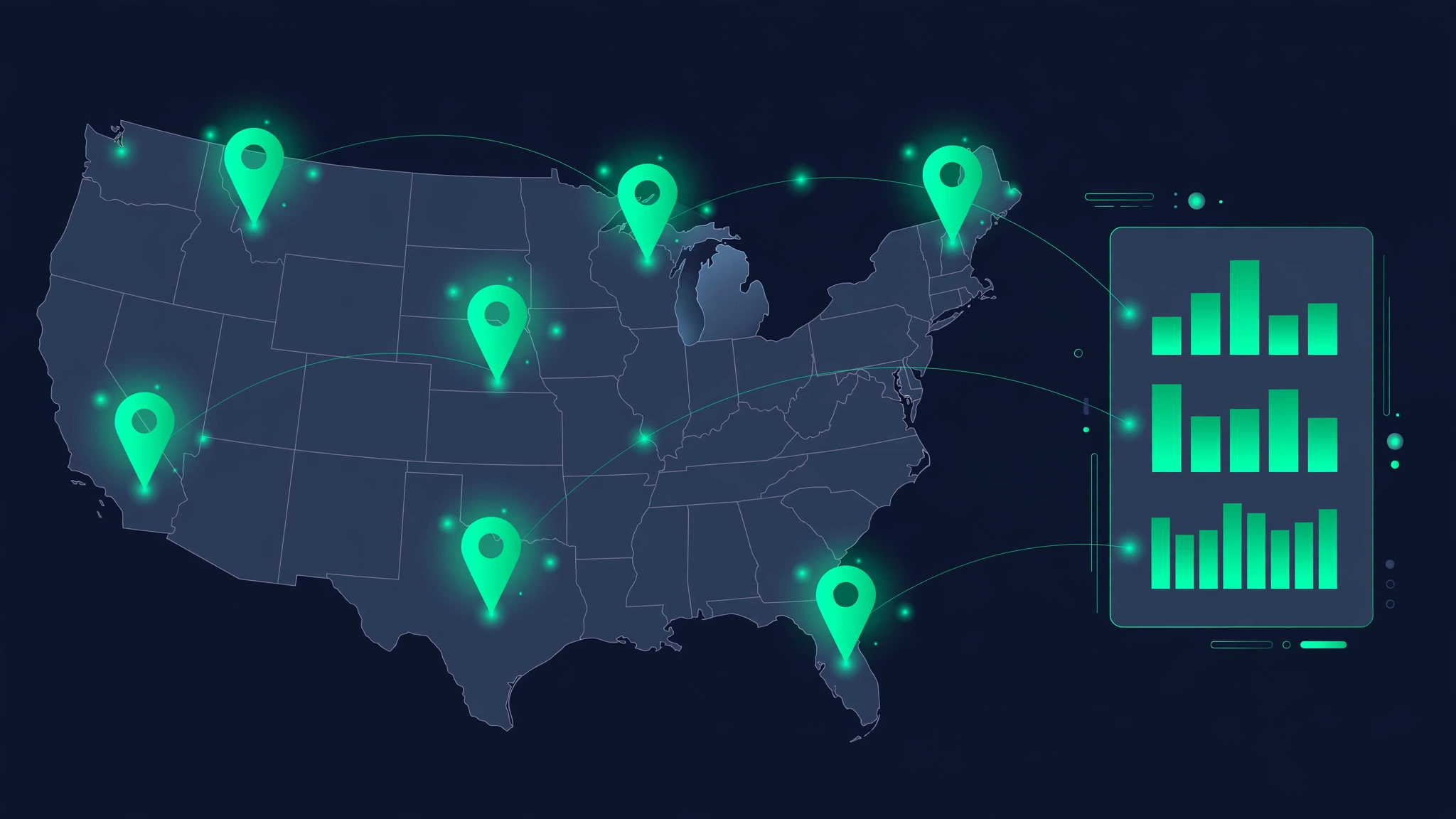
Give every location its own tracking setup: its own city or ZIP target, its own keyword set, and its own Google Business Profile. Rolling five stores into one "average" number hides which locations are winning and which are struggling. Track per location, compare them side by side, and fix the laggards with location-specific pages and reviews.
- One profile per location — each physical store gets its own Google Business Profile with its own address, hours, and photos. Never share a profile across locations.
- One landing page per location — /austin/, /dallas/, and so on, each with unique content: local team, local reviews, area-specific services. Thin city-name swaps rank poorly.
- Separate keyword sets — the core terms repeat, but each location may have its own neighborhood queries and competitors worth tracking.
- Separate citation profiles — each location needs its own consistent NAP on directories; a Dallas phone number on the Austin profile creates confusion.
Set up a simple comparison view: locations as rows, key metrics as columns — pack presence, top keywords, review count, average rating. Review it monthly. Patterns jump out fast: the location with half the reviews of its siblings almost always lags in the pack, and the fix is usually operational (train that store to ask for reviews) rather than technical.
How to track your competitors' local rankings
Run the same local checks on your competitors that you run on yourself: same keyword, same city, same device. Watch who holds the local pack for your money keywords, note when a newcomer jumps in, and study what they're doing — more reviews, a better profile, fresher photos. Competitor tracking turns ranking changes from mysteries into explanations.
Start with the three to five businesses that actually appear in your pack, not the ones you compete with offline. The pizza shop across the street may be irrelevant on Google if it never shows up in results; the chain three miles away that owns the pack for "best pizza near me" is the real rival. Check their positions with the same tools you use for yourself — the Local Rank Checker for city-level organic and pack positions, and the SERP Checker to study the full results page.
- Pack share — what percentage of your tracked keywords does each competitor appear in the pack for? This is the single most useful competitive metric.
- Review velocity — how many reviews per month is each competitor adding? A sudden surge explains a sudden ranking jump.
- Profile completeness — compare categories, photo counts, and posting frequency. Gaps you find are your quick wins.
- Website strength — run their location pages through the Competitor Rank Checker to see where they outrank you and why.
Use competitor data to diagnose, not to copy. If a rival jumps into the pack, find the cause — a review surge, a category change, new photos — and decide whether it's a legitimate tactic worth matching or a spammy one worth reporting. Never copy keyword-stuffed business names or fake locations; Google's spam filters and user reports catch up, and the penalty isn't worth the temporary bump.
Seasonal local ranking fluctuations: what's normal?

Local rankings swing with the calendar, and most of it is normal. Landscapers surge in spring, tax preparers in March and April, HVAC in summer heat waves — search intent shifts by season, and Google's results shift with it. Compare this month to the same month last year, not last month, before deciding you have a problem.
Seasonality affects both demand and competition. A roofer's "emergency roof repair" searches spike after spring storms — more searches, more clicks, and Google reshuffles results toward whoever looks most responsive right now. Meanwhile, competitors may go quiet in the off-season, making your rankings look better than they are. Both directions mislead if you only look at last month.
- Build a year-over-year baseline — twelve months of data before you call any swing abnormal.
- Separate seasonal from real drops: if a keyword fell in every city you track, that's your business; if it fell in one city, that's the market or a competitor.
- Plan content ahead of the season — publish spring landscaping guides in February so they're indexed and earning links before demand peaks.
- Keep review generation running in the off-season. A steady trickle of fresh reviews through winter means you enter spring with momentum while competitors wake up stale.
The businesses that win seasonal markets treat the off-season as prep season. Rankings earned in March pay off in June — and the tracking data tells you exactly which keywords to prepare for.
Local ranking factors that matter most in 2026
The 2026 local game still rests on Google's classic trio: relevance, distance, and prominence. The biggest movers are a fully completed Business Profile, review velocity and quality, consistent citations, locally relevant on-page content, and mobile page experience. AI overviews and zero-click results just raise the stakes for the top organic and pack spots you can actually win.
- Google Business Profile completeness — category accuracy, services, hours, photos, attributes. Still the highest-leverage work you can do.
- Review signals — count, average rating, recency, and review text. Fresh, keyword-rich reviews keep gaining weight.
- Proximity to the searcher — unchangeable, but it sets the baseline everything else builds on.
- Citation consistency — NAP accuracy across major directories. Fewer clean citations beat many messy ones.
- On-page local relevance — location pages with genuine local content, local business schema, and embedded maps.
- Link signals — local backlinks from news sites, chambers, sponsors, and community pages carry real weight.
- Behavioral signals — clicks, direction requests, calls, and saves from your profile. Google watches what searchers do after they find you.
- Mobile experience — most local searches happen on phones. Slow or broken mobile pages leak the traffic your rankings earned.
What's changed recently: AI-generated overviews now answer many local questions directly in the results, which squeezes organic click-through rates. That makes the pack — which AI overviews often cite rather than replace — even more valuable. The fundamentals haven't moved: be the most relevant, most trusted, closest-matching business, and prove it with a complete profile, strong reviews, and real local content.
How to build a local ranking report your clients actually read
A good local ranking report fits on one page: your top keywords with pack and organic positions, movement since last month, the neighborhoods or ZIPs that improved or slipped, and the one action you're taking next. Clients don't care about your methodology — they care whether the phone is ringing, so tie every number to calls and directions.
- Lead with outcomes — calls, direction requests, and website clicks from the Business Profile before any ranking tables.
- Show movement, not snapshots — "up 3 in the pack for 'emergency plumber'" means something; "position 4" means nothing alone.
- Keep the keyword list short — ten money keywords beat fifty long-tail terms nobody asked about.
- Include review stats — new reviews this month, average rating, and how they compare to the top competitor.
- Name one action per month — "adding ten new photos and requesting reviews at checkout" — and report the result next month.
- Skip the jargon — no "SERP volatility" or "citation velocity." Plain language keeps clients reading.
Deliver the report on a fixed schedule — monthly works for most local clients — and walk through it in five minutes or less. The report's real job is trust: when rankings dip for a normal seasonal reason, the client who has seen twelve honest reports believes your explanation. The client seeing their first report in a down month does not.
Check your Google Maps ranking now
Pick your money keyword — "emergency plumber Austin," "dentist near me," "roofing company Denver" — and run your business through the Google Maps Rank Checker. Note your map position today, then work the factors in this guide: a complete Google Business Profile, a steady flow of reviews, and identical name, address, and phone details everywhere. Recheck monthly. Local rankings move slowly and then all at once — the businesses that track them are the ones that catch the move.