
The Short Answer
Here's what nobody tells beginners: these two tools aren't competitors. They answer different questions. Relying on only one of them is like watching your speedometer but never glancing at the fuel gauge. You'll keep moving, but you won't see the stall coming.
So let's break down what each one actually does. No fluff.
Google Search Console shows you how Google sees your site: real impressions, real clicks, and real queries from real users. It's free, it comes straight from the source, and every site owner should have it set up yesterday.
An SEO rank checker shows you where you stand right now: your exact position for a specific keyword, in a specific location, at this moment. It's fast, specific, and built for day-to-day tracking.
You need both — for different jobs. Here's why.
How Each Tool Actually Measures Rankings
A rank checker measures rankings with a live, on-demand check: it asks Google for one keyword from one location and records the exact position right now. Google Search Console measures rankings as an average: it collects every impression your pages earned across all locations, devices, and times, then reports the mean. Same keyword — different measurement entirely.
Think of a rank checker as taking your site's temperature. You choose the keyword, you choose the country — say the United States — and the tool runs a fresh search and finds where your domain sits in that specific result set. Nothing is averaged, nothing is estimated. Run the same check tomorrow and you get tomorrow's number, measured the same controlled way.
Search Console works the other direction. It never runs a search at all. It watches the searches real people perform, notes every time your page appears (an impression), records the position it appeared in, and then averages all of those sightings over the date range you selected. A month of data for one query might blend 2,000 impressions from forty states, three devices, and every hour of the day.
- Rank checker: one controlled experiment, run on demand, measured in seconds.
- Search Console: thousands of uncontrolled real-world sightings, aggregated over days.
- Rank checker answers: where do I stand right now, here?
- Search Console answers: how have I been doing lately, everywhere?

This is the core of the rank checker vs search console debate, and once you internalize it, the confusing moments — like an average position of 3.2 on a keyword you swear you have never ranked for — start making complete sense. The rest of this guide is just the practical consequences of that one idea: when to trust each number, why they disagree, and how to combine them into a workflow that actually grows traffic.
What Google Search Console Actually Tells You
Search Console is Google telling you, in its own words, how your site performed in search. The Performance report gives you four numbers that matter: clicks, impressions, average CTR, and average position — sliced by query, page, country, and device.
That "average position" figure trips up almost everyone. It's an average across every impression: different locations, devices, times of day, and personalized results. So when it says 3.2, that doesn't mean you rank #3. It means your average across hundreds of different searches landed at 3.2. You could be #1 in Chicago on desktop and #9 in London on mobile — same report, same number.
This data is powerful because it's real. Actual people actually saw (or clicked) your actual pages. No estimates, no models. But it's also backward-looking and blurry. You're looking at averages, not the specific ranking a specific searcher sees at a specific moment.
Why GSC Average Position Differs From Your Rank Checker
GSC average position differs from rank checker results because numbers describe different realities. Search Console averages every impression — every city, device, and hour — into one figure. A rank checker reports a single check: this keyword, this location, this moment. When GSC says 3.2 and your checker says 11, both are correct; the average is hiding a wide spread.
Here is a concrete example. Imagine your site ranks #2 in Chicago on desktop (500 impressions), #8 in Dallas on mobile (1,500 impressions), and #14 in New York on desktop (500 impressions). The impression-weighted average lands around 8 — but there is no searcher on earth who actually saw you at position 8. Some saw #2, some saw #14. A rank checker set to United States reports one clean number for one controlled scenario, while GSC blends all three into a figure nobody literally experienced.
SERP features stretch the spread even further. Featured snippets, local packs, image carousels, and People Also Ask boxes push organic results around, and GSC counts the topmost position your page reached in each individual search. Your checker might show position 9 while GSC shows 6.5, because in a chunk of real impressions a snippet or a favorable layout lifted your page into the top cluster.
- Averaging: GSC blends locations, devices, and times into one number; a checker measures a single combination.
- Timing: GSC data lags by two to three days; a checker measures this minute.
- Personalization: GSC includes personalized real-user impressions; checkers run clean, de-personalized searches.
- Query variants: GSC groups related phrasings under one query row; a checker tests the exact phrase you typed.

So when someone asks why GSC positions differ from their rank tracker, the honest answer is that they are supposed to. If the two numbers matched perfectly, one of the tools would be lying. Treat a small gap as normal measurement noise. Treat a big, persistent gap as a clue — it usually points to a localization issue, a device problem, or a SERP feature reshaping your results, and each of those is worth investigating.
What an SEO Rank Checker Tells You
A rank checker does one thing and does it well: it tells you your position for a keyword, right now, from a defined location.
Type in your domain and "free seo rank checker," set the location to United States, and you get a number: #4. Not an average. Not an estimate. Your position in that specific scenario, checked this minute. Try it yourself with RankSEOTool's free SEO rank checker — it takes about ten seconds, no signup.
That's the whole point. When you're trying to figure out whether last week's title rewrite moved you from #8 to #5, you don't want a three-month average. You want today's number.
The trade-off? It's a snapshot, not the full movie. One keyword, one location, one moment.
How Personalization Changes Every Ranking Number
Google personalizes results using location, search history, device, and past clicks, so no two searchers always see identical rankings. Rank checkers deliberately strip personalization out to produce a clean, repeatable number. Search Console keeps it in, because it records real impressions from real, personalized searches. Neither is wrong — one is controlled, the other is real.
The personalization factors are bigger than most people realize. Precise location matters down to the neighborhood, not just the country — a plumber in one zip code sees a different local pack than a plumber two miles away. Search and browsing history quietly nudges familiar sites upward. Signed-in users get different results than signed-out ones. And device changes everything: mobile and desktop rankings for the same keyword can differ by five positions or more.
This is why your rank checker number and the ranking you see in your own browser often disagree. Your browser is personalized; the checker is not. It is also why experienced SEOs run de-personalized checks for tracking and then sanity-check the real world separately. One number for the spreadsheet, one glance at reality. Both matter, and confusing them causes most of the arguments about which tool is right.
- Location precision: Google knows roughly where each searcher is; checkers use one fixed test point.
- History: past clicks and visits quietly reorder results for real users.
- Device: mobile and desktop are effectively two different SERPs for competitive keywords.
- Time of day: Google tests and rotates results constantly, so morning and evening can differ.
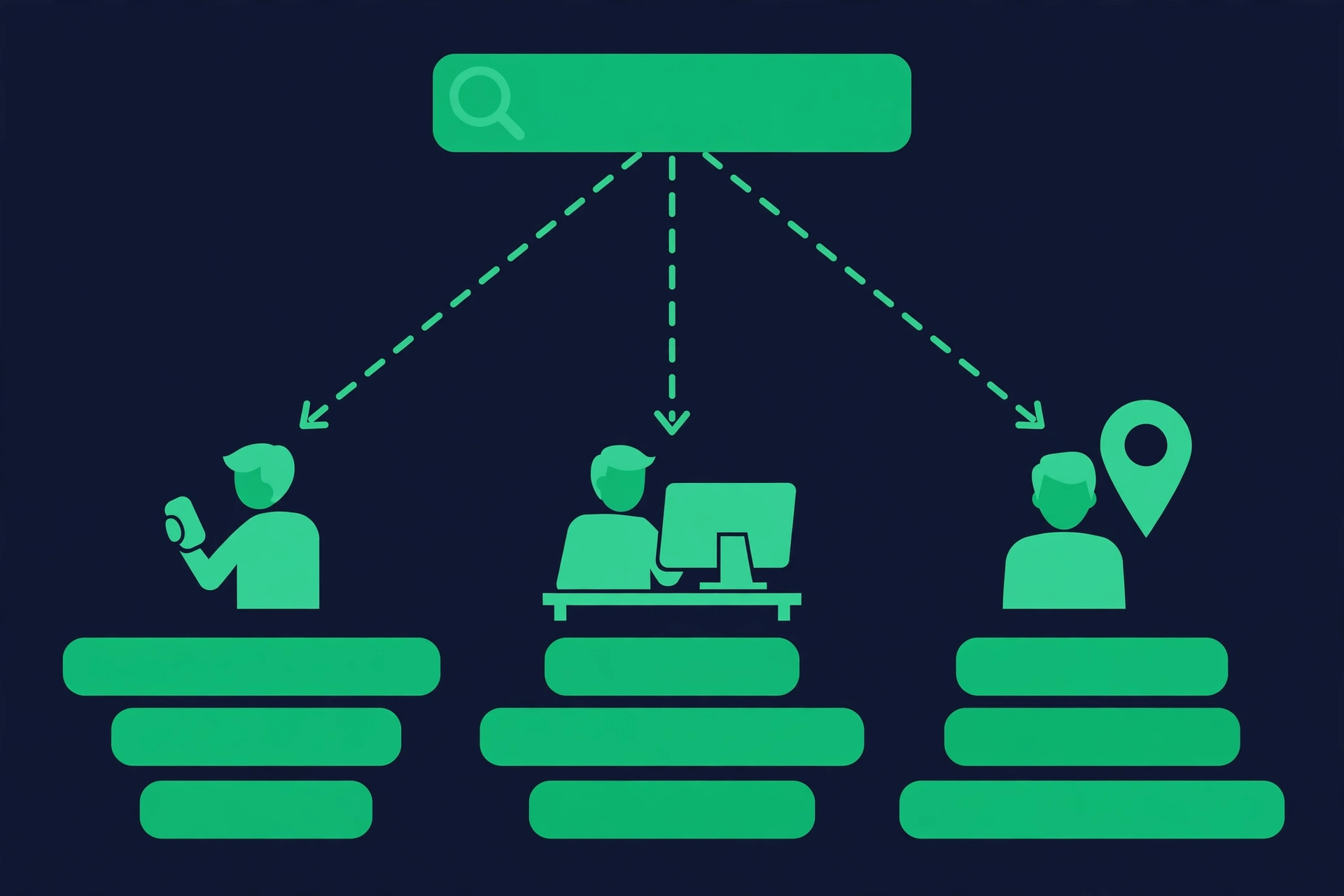
The practical takeaway: never panic over a single position in a single check. Panic — or celebrate — over the trend across many checks. And when Search Console shows a far better average than your checker, take it as good news: real users, with all their personalization working in your favor, are finding you more easily than the clean laboratory test suggests.
Data Freshness: Why Search Console Always Lags Behind
Search Console data typically lags two to three days behind real time because Google must collect, deduplicate, and process billions of impressions before reporting them. A rank checker, by contrast, gives you an on-demand snapshot of the position right now. The delay makes GSC a trend-analysis tool and rank checkers a reaction tool — plan your workflow around that split.
The lag is not laziness; it is engineering. Every impression has to be attributed to the right page and the right query, spam and bot traffic has to be filtered out, and the numbers have to be finalized across Google's data centers before they are shown to you. That takes time. Most days you will see data through two days ago; after weekends or holidays it can stretch a little longer, and very recent days are always marked as incomplete.
This is the exact moment each tool shines. Changed your title tag this morning and want to know if you moved? A free SEO rank checker gives you today's answer in seconds. Want to prove the change worked over a month, with real click data to back it up? Only Search Console's processed, averaged numbers can do that — but you will be reading them next week, not today.
- Rank checker: instant, on-demand, no waiting — but only a snapshot.
- Search Console: two to three day delay, finalized numbers, sixteen months of history.
- Rule of thumb: checkers for this week, Search Console for this quarter.

One more consequence people miss: because GSC lags, it is a terrible alarm bell. By the time a traffic drop shows up clearly in the Performance report, the drop has already been costing you clicks for days. Set your rank checker as the early-warning system — a quick weekly pass over your money keywords — and let Search Console do the autopsy when something actually goes wrong.
Position vs Average Position: Reading the Number Right
A rank checker's position is the exact slot your page occupied in one specific search — #4 means #4. Search Console's average position is the mean of every position your page appeared in across all impressions in the selected period. Read the first as a snapshot, the second as a trend line, and never compare them as equals.
A decimal average position confuses everyone at first. A 3.2 does not mean you rank in position 3 on page one — it means your average across all impressions landed between 3 and 4. You could be #1 for half your impressions and #6 for the other half. The decimal is a blend, not a slot, and no human being ever saw your page sitting at position 3.2.
GSC also has a counting quirk worth knowing: if your page appears twice in one search — say as a regular result and inside an image carousel — only the topmost position counts toward the average. Positions are also counted per property page, not for the SERP as a whole, so the number reflects your best placement in each impression. Small details, but they explain why the math sometimes feels off.
- Checker position #7: you ranked seventh in that specific test. Repeatable and precise.
- GSC average 7.3: across thousands of real impressions, you averaged seventh. Direction matters more than the digit.
- Watch GSC averages over weeks, not days — daily wiggles are noise.
- Watch checker positions right after specific changes — that is exactly what snapshots are for.
Once you read the two numbers correctly, a lot of SEO anxiety disappears. A checker moving from #8 to #5 overnight is a real, measurable win even if your GSC average barely twitches that week. And a GSC average drifting from 6.1 to 8.4 over a month is a genuine problem even if today's checker reading looks fine. Different instruments, different signals — learn both dials.
Where Search Console Falls Short
Let's be honest about Search Console's blind spots, because they genuinely matter:
- No competitor data. Search Console only shows your own site. You can't see who outranks you or by how much.
- Averages hide movement. Jump from #12 to #5 for a keyword and your 28-day average position barely twitches. You'll miss your own win.
- No on-demand checks. Data lags by a couple of days. Changed your title this morning? You won't see the effect until later this week.
- No location precision. You get country-level data, but you can't check what you rank in Austin, Texas specifically.
Where Rank Checkers Fall Short
Fair's fair — rank checkers have limits too, and anyone selling you one should admit them upfront:
- One snapshot isn't the whole truth. Google personalizes results. Your #4 in a rank checker might be #2 or #6 for a real user, depending on their search history and exact location.
- No click data. A rank checker tells you position, not whether anyone clicks. Position #4 with a 2% CTR and position #1 with an 8% CTR are completely different stories — and only Search Console shows you that difference.
- Serious tracking costs money everywhere. Checking a handful of keywords is free. Monitoring 500 keywords daily across ten locations is a paid game, no matter whose tool you use.
Impressions vs Clicks: The CTR Story Only Search Console Tells
Search Console shows impressions, how often your page appeared, and clicks, how often searchers chose it. The ratio is your click-through rate. A rank checker shows only position. High impressions with low clicks means your ranking is fine but your title and meta description are losing the click — a diagnosis no rank tracker can make.
This is the most underused insight in all of SEO. Position #6 with a 12% click-through rate can out-earn position #3 with a 4% rate, because the title does the selling after the ranking does the qualifying. A rank checker will never show you this gap. It will happily report #6 forever while a dull title quietly leaks traffic you already earned.
The fix is gloriously cheap. In GSC, filter the Performance report to one page, switch to the Queries tab, sort by impressions, and look for the pattern: decent average position (roughly 5 to 15), high impressions, low CTR. Those queries are your quick wins. Rewrite the title to match the searcher's intent, sharpen the meta description, and recheck the numbers in a few weeks. No new backlinks required.
- Impressions without clicks: a visibility win and a click problem — fix the title.
- Clicks without many impressions: strong relevance, and a signal to chase more related queries.
- Both climbing: whatever you changed is working — do more of it.
- Both falling: a genuine ranking or demand problem — investigate with a rank drop check.
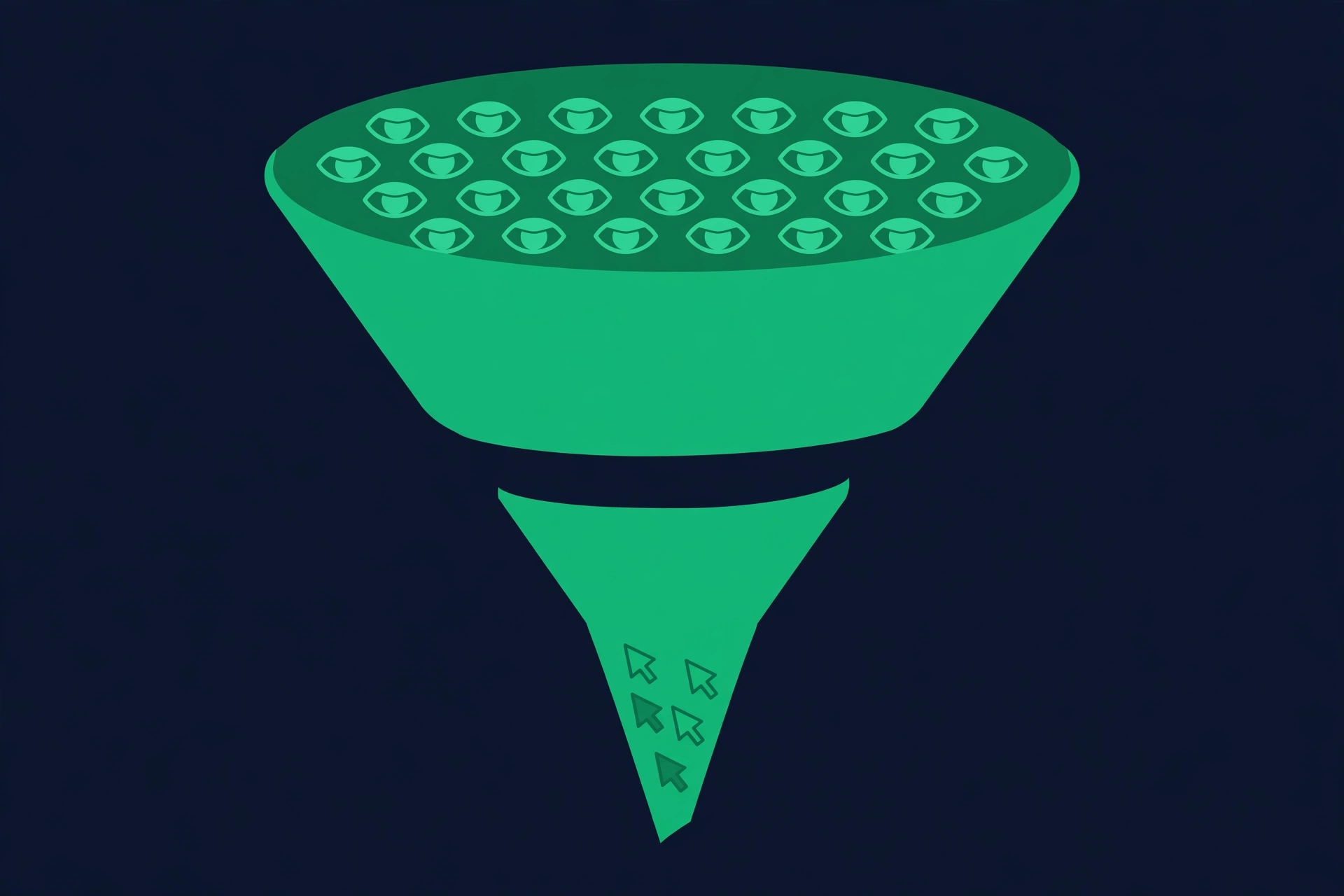
Remember the hierarchy: rankings get you seen, titles get you clicked. Track the first with a rank checker, fix the second with Search Console data, and your traffic grows from both ends at once. Most site owners obsess over position and ignore CTR — which means the CTR fixes are still wide open for you.
Can a Rank Checker Replace Search Console?
No. And anyone who tells you otherwise is selling something.
Search Console is your source of truth for what actually happened: real impressions, real clicks, real user behavior. A rank checker can't tell you that 3,000 people saw you at position 4.2 and zero clicked — but Search Console can, and that gap is exactly what tells you your title needs work, not your rankings.
Flip it around: Search Console can't tell you that you moved from #8 to #5 this morning after a title rewrite. A rank checker can, in ten seconds.
They're not rivals. They're a pair.
How to Set Up and Verify Google Search Console
Setting up Google Search Console takes about ten minutes. Sign in with a Google account, add your site as a property, verify ownership with the method that fits your setup, then submit your sitemap. Data starts collecting from the day you verify — Search Console cannot recover history from before verification, so earlier is always better.
First, choose your property type. The Domain property is the better pick for most sites: it covers every subdomain and both http and https in a single view, verified through one DNS TXT record. If DNS access is a hassle, the URL-prefix property works fine and offers easier options like an HTML file upload or a meta tag — just know you will need to verify each version of your site separately.
- 1Go to Google Search Console and sign in with the Google account you want to own the data.
- 2Click Add Property and choose Domain (recommended) or URL prefix.
- 3For a Domain property: copy the TXT record Google gives you, add it to your domain's DNS settings, then click Verify.
- 4For a URL-prefix property: download the HTML verification file and upload it to your site's root folder, or paste the meta tag into your homepage's head section.
- 5Once verified, open Sitemaps in the left menu and submit your sitemap URL — usually yourdomain.com/sitemap.xml.
- 6Wait two to three days. Performance data starts appearing first; coverage and indexing data fills in over the first week or two.
- 7Add teammates as users under Settings so the whole team can see the data.
The single most important detail: verification starts the clock. A site verified today has zero data for yesterday, and no tool on earth can backfill it. If you are reading this and have not set Search Console up yet, stop and do it now — future you will be grateful for every single day of history.
Reading the GSC Performance Report Like a Pro
The Performance report's four metrics are clicks, impressions, average CTR, and average position, sliceable by query, page, country, and device. Sort by impressions to find visibility you are wasting, sort by CTR to find titles that underperform, and compare date ranges to prove your changes worked. Those three moves cover most of what working SEOs do in the report.
Start with the date range. Compare the last 28 days against the previous 28 to separate real movement from noise — single-day spikes usually mean nothing. Then use the tabs: Queries shows which searches bring you visibility, Pages shows which URLs earn it, Countries shows where your audience actually is, and Devices shows whether mobile or desktop carries your traffic.
The pro move is combining filters. Click into a single page, then switch to the Queries tab — now you see every query that page ranks for, including long-tail phrases you never deliberately targeted. Those accidental rankings are content ideas handed to you for free: build a new section, FAQ, or even a dedicated page around them, and watch the impressions turn into clicks.
- Sort a page's queries by impressions: find high-visibility, low-CTR queries and rewrite those titles first.
- Filter to one country: see whether your US traffic behaves differently from your Canadian traffic, then tailor content accordingly.
- Split by device: a page ranking well on desktop but invisible on mobile usually has a mobile experience problem.
- Compare periods after every change: title rewrites, new sections, and speed fixes all deserve a before-and-after.
- Export monthly: GSC only keeps sixteen months of data — archive your own history before it disappears.
Spend thirty focused minutes in this report every month and you will know more about your site's real performance than most people learn from a year of rank tracking alone. The queries tab, in particular, is where strategy lives: it tells you what Google thinks your pages are about, which is sometimes different from what you think they are about.
When to Use a Rank Checker (and When to Ignore It)
Use a rank checker when you need an immediate, precise answer: today's position, the effect of a change you just made, a competitor comparison, or city-level local rankings. Ignore it when you need the bigger picture — traffic trends, real click behavior, or emerging queries. Those questions belong to Search Console.
Reach for the checker on testing days. You rewrote three title tags this morning — run the keywords tonight and tomorrow and see if anything moved. You are pitching a client and need their current positions against two competitors — the competitor rank checker handles that in one pass. You want to know where you stand in Austin specifically rather than the United States as a whole — that is a job for a local rank checker, because GSC stops at the country level.
- Checker days: after publishing, after editing titles, during a suspected drop, for competitor snapshots, for city-level checks.
- Search Console days: monthly reviews, CTR optimization, discovering new queries, proving ROI, spotting technical problems.
- Both: the weekly routine — the checker for the pulse, Search Console for the physical.
And know when to ignore the checker: when you catch yourself checking the same keyword three times a day. Daily fluctuation is completely normal — Google tests, rotates, and personalizes constantly. A single position on a single day is weather; the two-week trend is climate. Track the climate, and save your energy for the changes that actually move it.
Diagnosing a Rank Drop With Both Tools
When rankings drop, check the rank checker first to confirm the drop is real and happening right now, then open Search Console to find which queries and pages dropped and when it started. The checker sounds the alarm; Search Console performs the diagnosis. Skipping either step usually means fixing the wrong problem.
Panic is the enemy here. A drop in one checker reading might be personalization, a data-center wobble, or a one-day test by Google — none of which deserve a site overhaul. Confirm it first: recheck the keyword, check a couple of related keywords, and run a bulk rank checker pass over your money terms. If several keywords fell together, the drop is real and worth your morning.
- 1Confirm with the checker: recheck the keyword now and note the exact position.
- 2Widen the net: check five to ten related keywords. One keyword falling is a page problem; many falling together is a site-level or algorithm problem.
- 3Open the GSC Performance report: set the date range to cover the drop and compare against the previous period.
- 4Use the Queries and Pages tabs: identify exactly which queries lost impressions and which pages lost clicks.
- 5Pinpoint when the fall started: a sharp cliff on a single day suggests an algorithm update or a technical change; a slow slide suggests competitors out-optimizing you.
- 6Check Coverage and page experience too: indexing errors and technical failures cause drops that no content tweak will fix.

Once you know what fell, where, and when, the fix usually becomes obvious — and if it does not, the full recovery playbook in our ranking drop recovery guide walks through each scenario step by step, from algorithm hits to technical meltdowns.
The Limitations Nobody Warns You About
Every tool page promises the world, so here is the fine print for both sides — the stuff that only becomes obvious after months of daily use, and that nobody puts in the marketing copy.
- GSC keeps only sixteen months of data. Need year-over-year-over-year analysis? Export regularly or lose it forever.
- GSC hides some queries. Very low-volume or privacy-filtered searches show up as anonymized rows you cannot inspect.
- GSC thresholds small sites. Brand-new sites may see sparse, patchy data until impressions build up.
- Rank checkers measure one scenario. Your #4 in the checker is not everyone's #4 — it never can be, thanks to personalization.
- SERP features distort checker numbers. A position 3 sitting below two ads, a local pack, and a video carousel gets a fraction of the clicks that position 3 earned five years ago.
- Heavy tracking costs money everywhere. Free checkers comfortably cover dozens of keywords; monitoring thousands daily across many locations is a paid tier in every serious tool.
None of these are deal-breakers — they are just the shape of the tools. The SEOs who get burned are the ones who never learned the shape: the ones who trusted a single snapshot as gospel, or who waited for Search Console to warn them about a drop it was always going to report late. Now you know the shape. Use each tool for what it is actually good at, and neither will surprise you.
Where Does Rank Tracker Data Actually Come From?
Rank checkers get their numbers by querying Google's live search results and recording where your domain appears — the same results a searcher would see, minus personalization. Search Console gets its numbers from Google's internal logs of real user impressions. One tool observes from the outside; the other reports from the inside. That difference explains every disagreement between them.
A rank checker is essentially an automated, de-personalized searcher. It sends a query to Google from a chosen location, receives the same results any visitor would get, and parses out the organic positions. Good checkers control the variables — location, device type, language — so the test is repeatable. Run the identical check an hour later and any movement reflects Google, not the tool.
That is also why two different rank trackers can disagree slightly with each other. They may query different Google data centers, run their checks minutes apart, or parse crowded SERPs differently when ads, local packs, and carousels push organic results around. Small differences between reputable checkers are normal. Large, persistent differences mean one of them is measuring a different scenario — check the location and device settings first.
Search Console, by contrast, never searches at all. It reads Google's internal impression logs: every time your page appeared for a real user, at whatever position, in whatever personalized layout. That makes it the undisputed ground truth for your own site's performance — and completely useless for competitors, since Google will never show you another site's logs. For competitor positions there is no alternative to an outside-in rank checker, which is exactly what the SERP checker view gives you.
- Rank checker data: observed from outside, instant, repeatable, works for any domain.
- Search Console data: reported from inside, delayed, averaged, only for verified properties.
- Estimated third-party metrics like traffic guesses and visibility scores: modeled, not measured — treat as directional.
- When numbers conflict, ask which source each came from before deciding which to believe.
Building a Monthly SEO Report From Both Tools
A strong monthly SEO report leads with Search Console — clicks, impressions, CTR, and average-position trends versus the previous period — then uses the rank checker for the story behind the numbers: which money keywords moved, what competitors did, and what followed each change. GSC proves performance; the checker explains it.
Start with the GSC Performance report set to the last 30 days versus the previous 30. Note the four headline metrics and call out the biggest query and page movers. This is the what happened — real users, real clicks, no estimates. Executives and clients trust it because it comes from Google itself.
Then add the checker's layer: a simple list of your twenty to thirty money keywords with this month's positions versus last month's, marked as gains or losses. Note every action you took — title rewrites, new content, technical fixes — next to the keywords it should have affected. When a keyword jumps from #9 to #4 the week after a rewrite, the story writes itself, and you have the receipts.
- 1Export GSC: clicks, impressions, CTR, average position — this month versus last month.
- 2List the top five query winners and losers from the Queries tab, with a one-line hypothesis for each.
- 3Add checker snapshots of money keywords: position then versus now.
- 4Map actions to movements: match every optimization to the keywords it touched.
- 5Close with next month's plan: which CTR fixes and content gaps the data just revealed.
One honesty rule for reports: when the checker's snapshot and GSC's average disagree, show both and explain why in a single sentence. Stakeholders respect the transparency, and it quietly teaches them that SEO measurement has nuance — which makes your wins more credible, not less.
The Workflow That Actually Works
Here's the simple routine I'd recommend to anyone running a site:
- 1Weekly: Run your money keywords through a free SEO rank checker. Write down the positions. This is your early-warning system.
- 2Monthly: Open Search Console's Performance report. Hunt for queries with high impressions, decent positions (roughly 5–15), and low CTR. Those are your quick wins — better titles and meta descriptions, not more backlinks. If your rankings suddenly fell off a cliff, run a rank drop check to confirm which keywords actually slipped.
- 3When rankings drop: Check the rank checker first (is the drop real, right now?), then Search Console (which queries and pages dropped, and when did it start?).
- 4For new content: Use a rank checker to see where you land in the first few weeks, then let Search Console's impression data tell you which queries Google actually associates with the page. Spot a query your competitors own and you don't? That's a keyword gap worth closing.

That's it. No forty-tab dashboard. Two tools, one habit.
Frequently Asked Questions
Is Google Search Console enough for rank tracking?
For understanding overall performance, yes. For precise day-to-day position tracking of specific keywords in specific locations, no — that's exactly what a rank checker is built for.
Are free rank checkers accurate?
They're accurate for what they measure: your position in a specific location at a specific moment. They can't replicate every personalized result, so treat the number as a strong signal, not gospel.
Why does Search Console show a different position than my rank checker?
Search Console reports an average across all impressions — locations, devices, times of day. A rank checker reports one specific check. Both are "right." They're just measuring different things.
Do I need to pay for rank tracking?
Not at first. A free rank checker covers casual tracking of your most important keywords. Paid tracking starts making sense when you're monitoring hundreds of keywords across multiple locations every single day.
The Bottom Line
Stop asking which tool is better. Search Console tells you what happened. A rank checker tells you where you stand. One looks backward with real user data; the other looks at right now with precision.
If you haven't set up Search Console yet, do it today — it only starts collecting data from the day you verify, and you can't recover the past. And keep a free rank checker bookmarked for those mornings when you need an answer in ten seconds, not ten days.

Try this right now: run your main keyword through a free rank checker, then compare it with your Search Console average position for the same query. The gap between those two numbers will teach you more about SEO reporting than any article — including this one.
Put both tools to work today
If your site is not verified in Google Search Console yet, do that first — it is the only first-party record of how Google actually sees your own pages, and it starts collecting data only from the day you verify. Then run your main keyword through the free SEO Rank Checker to get an on-demand position — for your own domain or a competitor's — with no signup. Used together, the two numbers stop contradicting each other and start explaining each other.