
The 1KB file that can erase you from Google
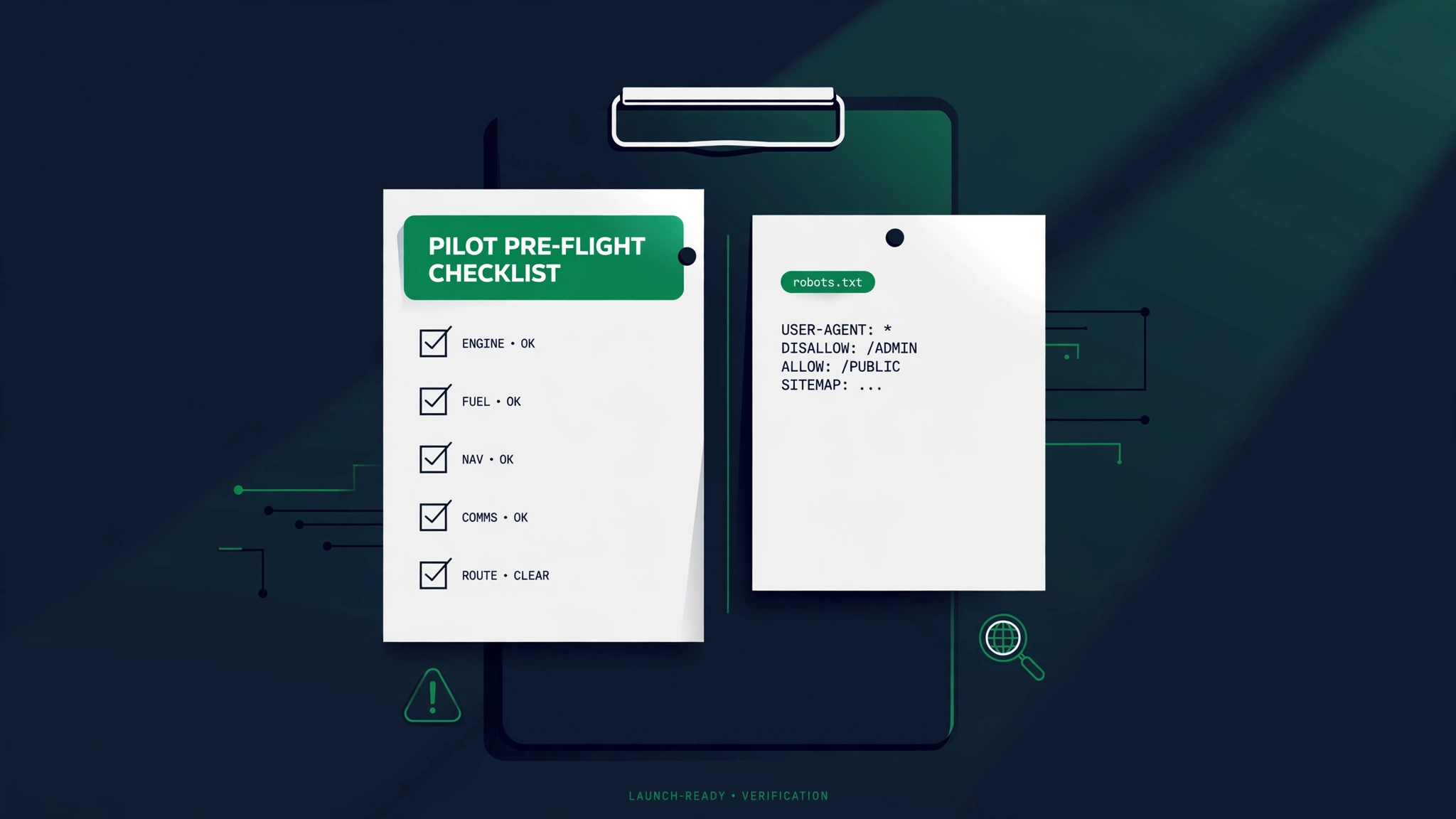
A few years back I got a call from a guy who owns a small furniture store outside Denver. He had just paid an agency good money to rebuild his website, and the new site went live on a Monday morning. By Friday his phone had stopped ringing. His Google Business Profile was still there, his ads were still running, but his organic traffic — the free customers he had spent three years building — had flatlined to zero. He was sure Google had penalized him. It had not. His developer had uploaded the new site with the old robots.txt still attached, and that file told Google to stay out entirely. Four lines of text. Three years of SEO, gone in five days.
That is the thing about robots.txt that nobody tells beginners. Every search engine crawler — Google, Bing, the rest — asks for this file before it touches anything else on your site. It is a polite knock on the door that says, which rooms am I allowed to enter? And because crawlers are polite by design, they obey what they find there. One wrong slash and you are not slowing Google down. You are locking it out of the building.
Here is what makes it worse than almost any other SEO mistake. If you write a bad title tag, your page still ranks — just worse. If your site is slow, Google still visits — just less often. But a bad robots.txt is binary. The crawler either comes in or it does not. There is no partial credit, no close enough. A single character — the difference between Disallow: / and Disallow: with nothing after it — is the difference between stay out of the basement and stay out of my house.
And it is a file almost nobody monitors. Analytics dashboards do not scream when robots.txt changes. Most site owners could not tell you what is in theirs. Developers edit it during staging, forget to revert it at launch, and nobody looks again until the traffic graph looks like a cliff. The eight mistakes below are the ones I see over and over — every one of them has a real story, every one of them was avoidable, and every one of them has a fix you can apply today.

Mistake #1: Launching with Disallow: / still in place
This is the number one robots.txt disaster in the wild, and it follows the same script every time. A startup founder in Austin told me this one with the specific embarrassment of someone who had paid for it twice. His team rebuilt their SaaS marketing site over three months. The developers did everything right during the build — including blocking crawlers on the staging server with the standard two-line file: User-agent: * on the first line and Disallow: / on the second. That file means no crawler may visit any page, which is exactly what you want while the site is half-built. Then launch night came. The team pushed the staging code to production at 11 p.m., popped a bottle of something sparkling, and went to bed. The robots.txt went along for the ride.
For three weeks, nothing happened — which was the problem. The founder kept refreshing analytics, assuming Google just needed time to find the new site. Their old site had ranked on page one for half a dozen commercial keywords. The new site was invisible for every single one. Finally someone typed the domain into Google and found nothing. Not page two. Not page ten. The site was not in the index at all. One of their engineers opened the live robots.txt in a browser — something nobody had done since launch — and there it was: Disallow: /. They had launched a brand-new website with a sign on the door that said go away.
The fix took ninety seconds: replace the staging file with one that welcomes crawlers — User-agent: * and an empty Disallow: line, which means nothing is off limits. But recovery took longer. Google had to re-fetch the file, re-crawl the site, and rebuild the index entries. Their main pages came back within about a week; the long tail took closer to a month. The founder told me the lost pipeline from those five weeks cost more than the entire redesign.
- A brand-new site or redesign that gets zero organic impressions after two weeks.
- Search Console shows Blocked by robots.txt on pages that should be indexed.
- A site: search for your domain returns far fewer pages than you actually have.
Prevention is a launch checklist item, not a hope. Before any site goes live, open the live robots.txt in a browser and read it with your own eyes. Add it to your deployment runbook: staging gets Disallow: /, production gets an open file or a carefully reviewed one. Some teams even automate it — the deploy script refuses to push a file containing Disallow: / to production. That is two lines of scripting that would have saved our Austin founder a month of revenue.

Mistake #2: Blocking your own CSS and JS
A dentist in Ohio had a beautiful website. Modern design, online booking, great reviews. And rankings that made no sense: his competitors outranked him on every local term despite his site being visibly better. When someone finally ran Google's rendering check, the mystery solved itself. Google's crawler was seeing his homepage as a naked skeleton — text stacked in a column, no styling, no layout, booking widget missing. His robots.txt contained Disallow: /wp-content/, which he had added years earlier to keep crawlers out of his media library. The problem: WordPress themes store their CSS and JavaScript files inside wp-content. He had blocked the paint and the wiring along with the storage room.
Google does not rank the HTML of your page in isolation. For years now, Googlebot has rendered pages the way a browser does — it loads your CSS to understand the layout and your JavaScript to see the final content. When you block those resources, Google sees a broken page and judges it as one. In Search Console, the URL inspection tool will literally warn you: Page resources could not be loaded. Many site owners see that warning and shrug. It is not a shrug-level warning. A page Google cannot fully render is a page Google cannot fully trust.
The fix is surgical, not nuclear. Instead of blocking the whole wp-content directory, block only what actually needs blocking and explicitly allow the rest. A correct file for that dentist looked like this: User-agent: *, then Disallow: /wp-content/uploads/ to keep the media library quiet, plus Allow: /wp-content/themes/ and Allow: /wp-content/plugins/ so crawlers can fetch styling and functionality. Google's own documentation has said for years: do not block CSS and JavaScript. It is one of the few things in SEO that is close to a universal rule.
- Open Search Console, inspect any important URL, and click View crawled page — compare what Google saw with what visitors see.
- Look for Page resources could not be loaded warnings on the inspection report.
- Search your robots.txt for broad blocks like /wp-content/, /assets/, /static/, or /themes/ — each one is a suspect.
The dentist's developer fixed the file on a Tuesday. The rendering warnings cleared within days, and over the next two months his local rankings climbed back past two competitors he had been losing to for a year. Nothing else changed — no new content, no new links. Google had finally been allowed to see the site everyone else had been seeing all along.

Mistake #3: Blocking the wrong bots
A woman in Portland runs an online store selling vintage botanical prints — the kind of art people frame and hang in hallways. About a third of her traffic came from Google Images. Then one spring, that third quietly evaporated. Her regular web traffic was fine; only the image traffic died. The culprit was a single block she had pasted from a forum post about saving server bandwidth: User-agent: Googlebot-Image followed by Disallow: /. She had no idea what Googlebot-Image did. She had copied the lines because the post sounded confident.
Googlebot-Image is the crawler that fetches images for Google Images. Block it and your pictures slowly vanish from image search — not overnight, but as Google re-crawls and finds the door locked. The same trap exists for other specialized crawlers. Block Googlebot-Video and your videos fade from video results. Write a clumsy rule under User-agent: * and it applies to every crawler, including the ones bringing you customers. The reverse mistake is just as real: some owners try to block bad bots by name — scrapers, spammers — and accidentally write a rule that also catches a crawler they need. Robots.txt blocks are matched by user-agent string, and those strings are just text. There is no safety net that warns you that this one matters.
Here is the uncomfortable truth about blocking bad bots with robots.txt: the bad ones ignore it. Robots.txt is a voluntary system — an honor code. Legitimate crawlers from Google, Bing, and the AI companies obey it. Scrapers, spammers, and content thieves do not. So a robots.txt blocklist is the worst of both worlds against real abusers: it does nothing to the scrapers and risks friendly fire on the crawlers you actually want. If you are fighting scrapers, you need server-level tools — rate limiting, a web application firewall, bot management from your CDN — not a text file that the enemy politely declines to read.
- Never copy bot-blocking rules from forums without looking up what each named crawler does first.
- If image or video traffic matters to you, make sure nothing blocks Googlebot-Image or Googlebot-Video.
- Treat User-agent: * rules as global: they hit every crawler, friend and foe alike.
The Portland store owner deleted the two offending lines and her images started reappearing in Google Images over the following weeks. She told me the lesson cost her roughly a season of her best-selling prints. Her new rule for the file is simple: every line in robots.txt must earn its place, and she must be able to say out loud what it does.

Mistake #4: Using robots.txt as a noindex tool
This is the most misunderstood idea in all of technical SEO, so let me say it plainly: putting Disallow in robots.txt does NOT remove a page from Google. A marketing manager at a mid-sized retailer learned this the expensive way. Every quarter they ran clearance sales, and every quarter the old sale pages kept showing up in Google long after the sale ended, confusing customers who clicked through to this promotion has ended pages. Their agency's solution: block the whole clearance directory in robots.txt. Clean, fast, one line. Six months later the old sale pages were still in Google's index.
Here is why. A Disallow tells Google: do not crawl this URL. It does not tell Google: forget this URL exists. If other sites link to that page — and old sale pages always have links — Google can keep the URL in its index without ever visiting it. What you get is the saddest entry in all of search results: your page title, your URL, and the gray text No information is available for this page. The page is blocked and still indexed. It is the SEO equivalent of putting a do not enter sign on a door while leaving the building's address in the phone book.
It gets worse. There is a proper tool for removing pages from the index — the noindex directive, delivered either as a meta tag in the page's HTML or as an HTTP header. But here is the catch that burns people: if you block the page in robots.txt, Google's crawler can never visit it, which means it can never SEE your noindex tag. The two directives actively sabotage each other. The correct sequence is the opposite of what most people do: REMOVE the Disallow so Google can crawl the page, ADD the noindex so Google drops it from the index, and wait. If you need it gone fast — a leaked page, a legal issue — use the Removals tool in Search Console, which can hide a URL within hours while the noindex takes effect.
- Want a page out of Google? Use noindex (meta tag or header), not Disallow.
- Never combine Disallow with noindex on the same URL — the block hides the noindex from the crawler.
- Need it gone today? Search Console's Removals tool is the emergency lever; robots.txt is not.
The retailer's team removed the clearance block, added noindex tags to the dead sale pages, and requested removals for the worst offenders. The stale pages cleared out of the index within a few weeks. The marketing manager now keeps a sticky note on her monitor that reads: robots.txt hides pages from crawlers. noindex hides pages from Google. Different jobs.

Mistake #5: Wildcard accidents (one * too many)
Robots.txt has two special characters — the asterisk, meaning any sequence of characters, and the dollar sign, meaning end of the URL here — and they are responsible for some of the most creative self-inflicted wounds in SEO. My favorite story comes from a man in Vermont who sells antique maps. His site had a genuinely useful page at /maps/ — a category page that ranked well and sold a lot of framed cartography. One day he decided to block his site's internal search results from Google, which is reasonable; search-result pages are thin duplicates. He also, for good measure, added a rule for an old map-preview tool at Disallow: /map. Can you see it?
Robots.txt paths are prefix matches. Disallow: /map does not block only a page literally named /map. It blocks every URL that STARTS with /map — including /maps/, /map-preview/, /maple-syrup-gifts, everything. He had blocked his best category page with a rule aimed at a tool nobody used anymore. His /maps/ page slid out of the index over the following month while he blamed a Google update. It was not an update. It was four characters.
The wildcards make this sharper. An asterisk matches anything — including slashes — so Disallow: /*.pdf$ blocks every PDF on the site (the dollar sign anchors it to URLs ending in .pdf, which is what you want), while Disallow: /*.pdf without the dollar sign also blocks /about.pdfs-are-great and any URL with .pdf anywhere in the middle. And the question mark has no special meaning in robots.txt at all, so Disallow: /search? blocks /search?query=shoes but not a clean /search page — a subtlety that surprises even experienced SEOs. The safe way to write rules is to be as specific as the English sentence in your head: if you mean block PDFs, write Disallow: /*.pdf$. If you mean block search-result URLs, write Disallow: /search? and nothing broader.
- Disallow: /cart blocks /cart, /cartography, and /cartoon-network-fan-page — prefix matching is greedy.
- Disallow: /tmp blocks /tmp and /template — add the trailing slash (/tmp/) to be precise.
- The asterisk matches slashes too: /*.pdf$ is a scalpel, /*.pdf is a net.
The Vermont map seller's fix was one word: he changed Disallow: /map to Disallow: /map-preview/, the actual tool path. His category page recovered over the next few weeks. His rule now: before adding any line to robots.txt, he lists three real URLs from his site and asks, does this rule touch any of these? If yes, the rule gets more specific. Thirty seconds of paranoia, zero months of recovery.

Mistake #6: No sitemap directive (leaving crawl budget on the table)
A store owner in Texas — industrial supply, 40,000 SKUs, the kind of catalog that makes developers cry — had a discovery problem. Google indexed his homepage, his category pages, and then gave up somewhere around page twelve of his catalog. New products took months to appear in search, if they ever did. His robots.txt was technically perfect: clean allows, sensible disallows, not a wasted line. It was also missing the single most helpful line a big site can have: Sitemap: https://www.example.com/sitemap.xml.
The Sitemap directive is a line in robots.txt that hands every crawler a complete list of your URLs on a silver platter. Without it, crawlers discover your pages the hard way — by following links from page to page, the way a tourist explores a city with no map. That works fine for a fifty-page brochure site. For a 40,000-product catalog, or a news site publishing hourly, or any site with deep pages that get few internal links, link-only discovery is slow and lossy. Google explicitly supports the Sitemap directive, and so do Bing and the other major crawlers. It costs one line and it never hurts.
A few details that trip people up. First, the sitemap URL must be absolute — Sitemap: https://www.yoursite.com/sitemap.xml, not a relative path. Second, you can list multiple sitemaps, or point to a sitemap index file that lists them all — large sites almost always use an index. Third, the sitemap has to live on the same host as the robots.txt file. And fourth — this one surprises people — the sitemap directive is not a ranking factor. It does not make Google like your pages more. It just makes sure Google FINDS them, which is the step everything else depends on.
- One line: Sitemap: https://www.yoursite.com/sitemap.xml — absolute URL, same host as the robots.txt.
- Big site? Use a sitemap index file and list that instead of fifty individual sitemaps.
- You can also submit sitemaps directly in Search Console — do both, belt and suspenders.
The Texas store added the Sitemap line pointing at their sitemap index on a Thursday. Nothing dramatic happened on Friday. But over the next two months, the share of their catalog appearing in Google's index roughly doubled, and new products started showing up within days instead of seasons. The owner told me it was the highest-ROI line of text he had ever written — and he sells industrial fasteners for a living, so he knows about small things holding big structures together.

Mistake #7: Case-sensitivity traps (/Admin vs /admin)
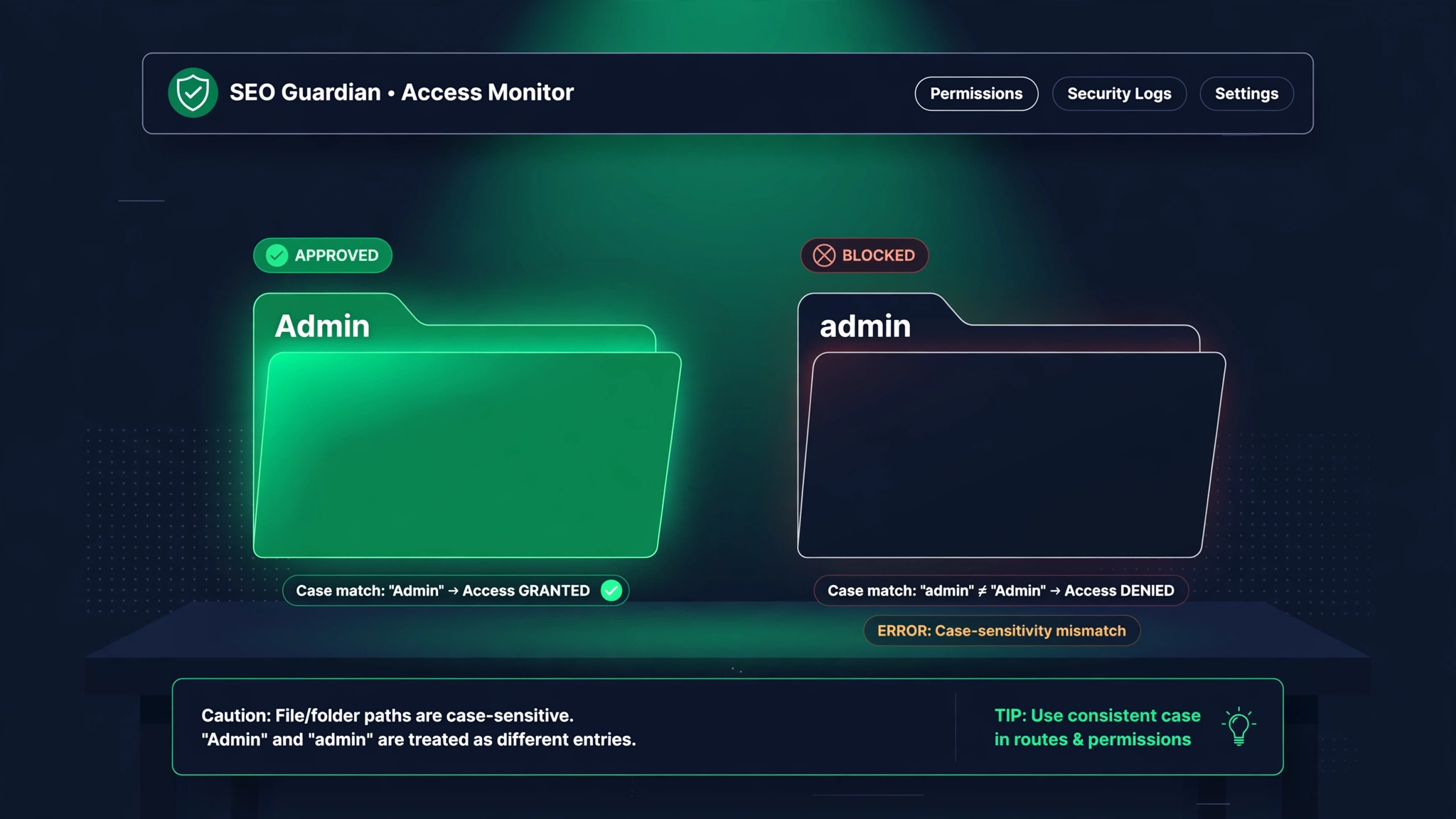
A blogger in Florida ran a tight ship. She had blocked her admin area, her login page, and a private client portal — or so she believed. Her robots.txt said Disallow: /Admin/, Disallow: /Login/, and Disallow: /Clients/. Her actual URLs were /admin/, /login/, and /clients/ — all lowercase, because her developer followed the convention that URLs should be lowercase. For two years, Google happily crawled every blocked page. The login page got indexed. The client portal got indexed. Nothing catastrophic happened — no hack, no leak — but she had been operating under a protection that did not exist.
Paths in robots.txt are case-sensitive. /Admin and /admin are as different to a crawler as Smith and smith are to a postman who only delivers to exact names. This bites in both directions. Block /Admin when the real path is /admin and you have blocked nothing. Block /PDF/ when your files live at /pdf/ and the PDFs stay wide open. I have even seen the reverse confusion: someone wrote Disallow: /Images to block an old image folder, the real folder was /images, and they spent months wondering why image URLs kept appearing in the index — which is really Mistake #4 wearing a case-sensitivity costume.
Why does this happen so often? Because humans are case-sloppy and computers are not. We read /Admin and /admin as the same thing. Crawlers do not. And the trap is invisible: robots.txt never complains. There is no error message, no warning, no red underline. A wrong-case rule sits there for years, looking protective, doing nothing — or worse, looking harmless while blocking something real. The fix is boring and effective: copy paths directly from your browser's address bar instead of typing them from memory, and test the actual URL against the actual rule.
- Copy every path from the address bar — never type it from memory.
- Check both directions: rules that should block something, and rules that might block something you need.
- After any change, fetch the live file and eyeball the exact characters. Case, slashes, spelling.
The Florida blogger fixed three capital letters and her admin pages dropped out of crawling within days. She now keeps a second rule taped to her monitor, right under the first one: the computer does not know what I meant. It is the cheapest security and SEO review in existence: read the file, letter by letter, once a quarter.
Mistake #8: robots.txt in the wrong place
A restaurant group in Chicago hired a consultant who did excellent work. He audited the site, wrote a beautiful robots.txt — thoughtful allows, careful disallows, sitemap directive, the works — and uploaded it to www.restaurantgroup.com/blog/robots.txt. He had been working in the blog directory all week and uploaded the file where he was standing, so to speak. For eight months, the main site had no robots.txt at all, and the blog had one that no crawler ever read. The consultant's good work existed in a place where it could help no one.
Crawlers look for robots.txt in exactly one place: the root of the host. https://yoursite.com/robots.txt. Not in a subfolder. Not at /static/robots.txt because that is where your developer keeps static files. If the file is anywhere else, crawlers behave as if it does not exist — which, for their purposes, it does not. This sounds too basic to get wrong, but migrations, redesigns, and multi-person teams get it wrong constantly. The file gets created in the CMS media library. It gets uploaded to the staging folder. It gets committed to the repo but never deployed.
The subtler version of this mistake is the wrong HOST. www.yoursite.com and yoursite.com are different hosts, and each one needs its own robots.txt — crawlers do not share the file between them. The same goes for http versus https versions, for blog.yoursite.com versus www.yoursite.com, and for country subdomains like uk.yoursite.com. If you redirect www to non-www, as most sites do, the www version barely matters — but the redirect has to actually exist and work, or crawlers hitting the www host find no file and assume everything is allowed. During site migrations, I have seen teams carefully craft the new robots.txt, deploy it to the new domain, and leave the old domain serving a stale Disallow: / that kept blocking the old URLs Google was still trying to crawl — slowing the entire migration.
- The only address that matters: https://yourdomain.com/robots.txt — root, exact host, exact protocol.
- Every subdomain is a separate host with a separate robots.txt. Audit each one you care about.
- After every migration or redesign, open the live URL in a browser and confirm the file is really there.
The Chicago consultant moved the file to the root in about four minutes, once the restaurant group's in-house marketer thought to check. His advice now ships with every engagement: the first test is not whether the rules are right. It is whether the file is where crawlers look. Right rules, wrong place, zero effect.

The 2026 twist: AI crawlers (GPTBot, CCBot, and friends)
Every robots.txt conversation in 2026 eventually lands on the same question: what do I do about the AI crawlers? GPTBot from OpenAI, CCBot from Common Crawl, Google-Extended for Google's AI training opt-out, ClaudeBot and anthropic-ai from Anthropic, PerplexityBot, Applebot-Extended, Amazonbot, Meta's crawlers — the guest list keeps growing. Site owners are split into two loud camps. Camp one: block them all, they are stealing my content to train models. Camp two: allow everything, I want my content cited in AI answers. Both camps are oversimplifying, and the honest answer is less exciting than either slogan.
Start with what is actually true. The reputable AI crawlers obey robots.txt. Blocking User-agent: GPTBot with Disallow: / will keep OpenAI's training crawler off your site, as far as anyone can verify from outside. Google-Extended is specifically the opt-out for Google's AI model training, and Google has said clearly that blocking it does not affect your Search rankings — it only affects whether your content feeds their AI models. CCBot is Common Crawl, the nonprofit dataset that much of the AI industry trains on; blocking it is the broadest single do-not-train-on-me signal available. So if your position is my content is my business, the tools to enforce it exist, and they work through this same little file.
Now the other side, which the block-everything crowd underweights: training crawlers and answer-engine crawlers are different things. OpenAI's OAI-SearchBot and ChatGPT-User, Perplexity's crawlers, and similar bots fetch your pages to cite them in AI-generated answers — the 2026 version of ranking. Block those and you do not just protect your content; you make it invisible in the fastest-growing discovery channel on the internet. I have talked to publishers who blocked every AI user-agent on principle, then watched competitors get cited for queries they used to own.
Here is the honest framework I give people. First, decide what you are actually afraid of: training use, or being summarized? They are different crawlers and different rules. Second, do not expect SEO leverage either way — there is no verified evidence that blocking or allowing AI crawlers moves your Google Search rankings. Anyone selling you a rank-higher-by-blocking-GPTBot trick is selling fiction. Third, write it explicitly: named groups like User-agent: GPTBot with Disallow: /, rather than hoping a wildcard catches crawlers whose user-agent strings you have never read. Revisit yearly — this list changes faster than any other part of SEO.
- Training crawlers (GPTBot, CCBot, Google-Extended): block if you object to model training; it will not hurt your Google rankings.
- Answer-engine crawlers (OAI-SearchBot, PerplexityBot): blocking these hides you from AI answers — usually a bad trade.
- Name crawlers explicitly. Wildcards age badly in a landscape that adds new bots every quarter.
How to audit your robots.txt in 15 minutes
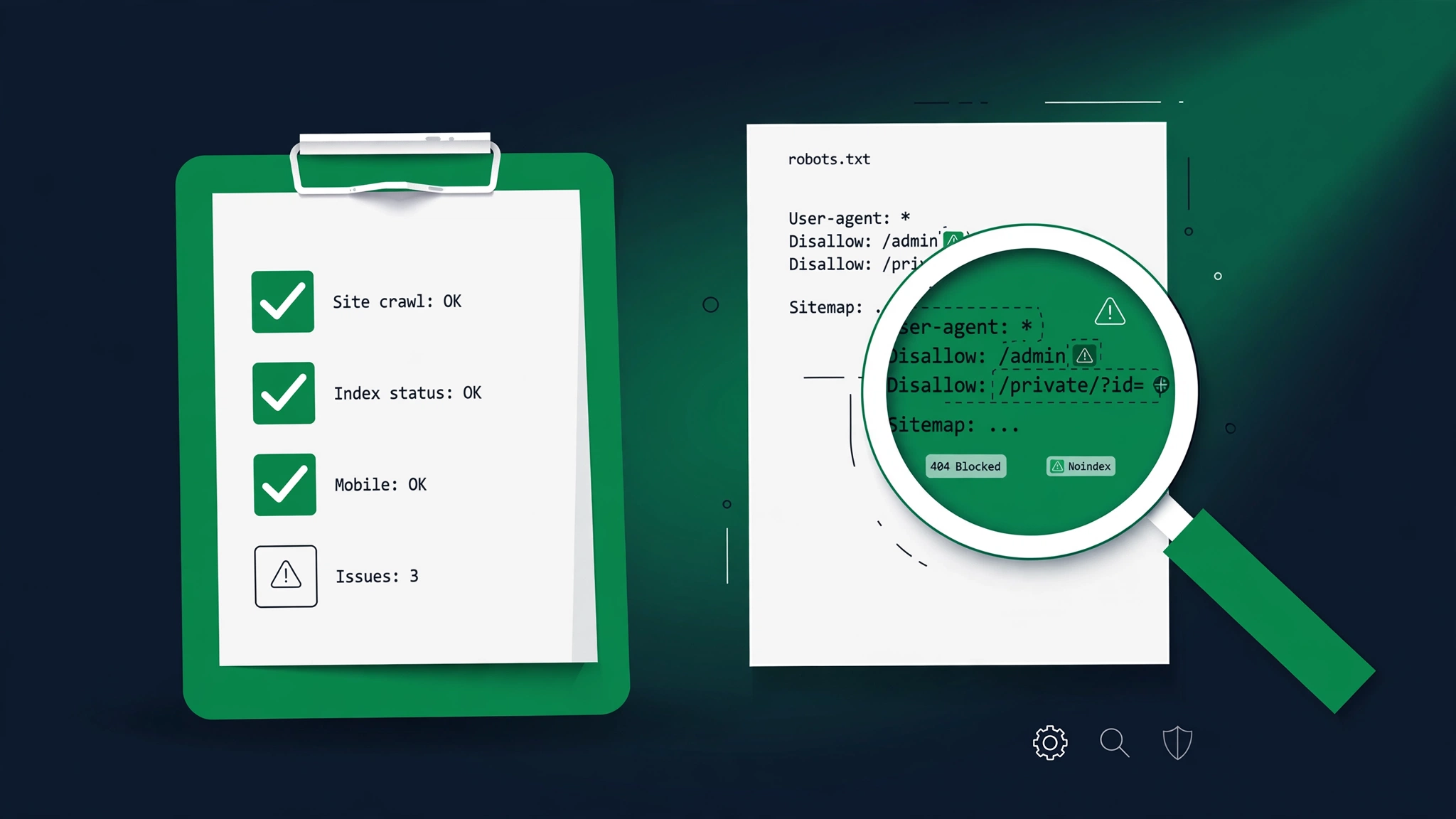
Everything above sounds scary in aggregate, but the actual defense is a fifteen-minute routine you can run with a browser and a free Search Console account. I do this for every site I touch, and I have never once regretted it. Set a timer. Open a blank document. Go.
- 1Fetch the live file. Type https://yourdomain.com/robots.txt into your browser — exact domain, exact https. If you get a 404, you have no file, which means everything is crawlable but you also have no sitemap directive and no protections. Save the file's contents into your document.
- 2Scan for Disallow: / — the nuclear option. If it sits under User-agent: *, your whole site is blocked. Decide whether it belongs (staging) or is a launch leftover (production).
- 3Check the user-agent groups. Which crawlers have their own group? Remember: Google follows only the group matching its most specific user-agent, so a rule under * may not apply to Googlebot the way you assume.
- 4Hunt for blocked resources. Search the file for /wp-content/, /assets/, /static/, /themes/, /css/, /js/. Any broad block here is guilty until proven innocent — verify with Search Console's URL inspection that Google can load the page's resources.
- 5Verify the case. For every Disallow path, open the real URL in your browser and compare character by character. /Admin is not /admin.
- 6Check the sitemap line. Is there a Sitemap: directive? Is the URL absolute? Does it load in a browser? Does it list the pages you care about?
- 7Check the other hosts. Repeat the fetch for www versus non-www, http versus https, and every subdomain serving real content. Each host needs its own correct file.
- 8Test, do not trust. Paste the file into a free robots.txt tester and run your ten most important URLs through it. Fix whatever surprises you.
Fifteen minutes. If you found nothing, you bought peace of mind for the price of a coffee break. If you found something, you just caught it before the traffic graph did. One more thing: write down what the file contained today — paste it into a dated note. Next month's audit takes five minutes instead of fifteen, because you will be diffing against a known-good copy instead of reading cold. The sites that get burned by robots.txt are never the ones whose owners can recite what is in the file. Be the owner who can.

Fixing it fast with a free generator
Here is a confession that surprises people: I do not hand-write robots.txt files anymore, and you should not either. The syntax is small but unforgiving — one misplaced asterisk, one wrong-case path, one rule in the wrong group — and the failure mode is silent. A free robots.txt generator exists precisely because humans are bad at writing files that computers read literally. You answer a few questions — which crawlers to allow, which directories to block, where your sitemap lives — and it produces a file with correct syntax, correct grouping, and no typos. It is the difference between doing arithmetic by hand and using a calculator: the calculator does not make you less smart, it makes you less wrong.
The workflow I recommend takes ten minutes. First, run the fifteen-minute audit above so you know what you have. Second, open the generator and build the file you actually want: allow the crawlers that bring you business, block only the directories you can name a reason for, add your sitemap URL. Third, compare the generated file against your current one, line by line — the differences are your bug list. Fourth, deploy it and immediately fetch the live URL to confirm the new file is really serving. If you want to understand every line you are deploying, read the step-by-step robots.txt guide alongside it — it walks through what each directive means and why it is there, so the file is never magic to you again.
A word about what generators cannot do: they cannot decide your policy. No tool knows whether your client portal should be blocked or whether you object to AI training crawlers — those are business decisions, and the generator just writes down whatever you tell it. What it does is guarantee that what you decided is what the file says. That sounds minor until you remember the Florida blogger's /Admin and the Vermont map seller's /map. Every one of the eight mistakes in this article is a human-expression error, not a human-intelligence error. The generator removes the expression layer. You bring the judgment; it brings the spelling.
One more habit worth building: regenerate from scratch instead of editing the old file. Old robots.txt files accumulate cruft — rules for tools you retired years ago, blocks for directories that no longer exist, comments that contradict the rules below them. Starting fresh once a year forces you to re-justify every line. If a line cannot explain its own existence, it does not ship.

Your pre-publish robots.txt checklist
Print this. Tape it next to the launch checklist. Every site launch, redesign, migration, or we-switched-hosting-providers event runs through it before anyone celebrates. Notice what is not on this list: cleverness. There is no item that says write an elegant regex or outsmart the crawlers. Every item is a verification — is the file there, is the rule spelled right, did a human read it. Robots.txt failures are never failures of sophistication. They are failures of checking. The checklist is the entire strategy.
- 1The live file loads at https://yourdomain.com/robots.txt — root of the correct host and protocol, not a subfolder.
- 2No Disallow: / under User-agent: * on production. Staging keeps it; production never ships it.
- 3CSS, JavaScript, and image directories are crawlable — no broad /wp-content/, /assets/, or /static/ blocks.
- 4Every Disallow path is spelled exactly as the real URL appears — case, slashes, and all. Copy from the address bar.
- 5No prefix accidents: Disallow: /cart does not secretly block /cartography. Read each rule as blocks everything starting with...
- 6No page you want REMOVED from Google is handled with Disallow — removals use noindex, not robots.txt.
- 7The Sitemap: line is present, absolute, and loads in a browser.
- 8AI crawler rules reflect an actual decision, not a copied forum snippet — training versus answer-engine crawlers considered separately.
- 9Subdomains and alternate hosts (www, http, staging) each serve the correct file for that host.
- 10A human has read the final file top to bottom AFTER deployment, not before.
Ten items, five minutes, and it catches every story in this article. The Denver furniture store, the Austin startup, the Ohio dentist, the Portland print seller, the Vermont map man, the Florida blogger, the Chicago restaurant group — every one of them would have been saved by item two, three, four, five, or nine. Checklists feel bureaucratic until the day they save you a month of revenue. This file is too powerful to manage by memory and hope.
Keep the checked list with your launch records. Six months from now, when someone asks did we verify robots.txt at launch, you will have an answer instead of a shrug — and when the traffic graph twitches, you will know exactly which version of the file was live when.

The recovery timeline: how fast Google forgives
So you found the mistake and fixed the file. Now the question everyone asks: how long until Google forgives me? The honest answer is it depends, but it depends on understandable things, not mysteries. Google re-fetches robots.txt regularly — roughly daily for active sites — so the corrected rules are usually picked up within 24 hours. After that, recovery speed is a function of crawl budget and site authority: how often Google visits your pages in the first place. A news site Google crawls every hour recovers in days. A small brochure site Google visits weekly recovers in weeks.
Here is what the recovery actually looks like, stage by stage. Day one: you fix the file and verify it live. Day one to two: Google re-fetches robots.txt and the Blocked by robots.txt errors start clearing in Search Console. Week one: your most important pages — homepage, top categories — get re-crawled and start reappearing. Weeks two to four: the long tail follows, roughly in order of each page's normal crawl frequency. Full recovery of rankings, not just indexation, can take a little longer, because Google also has to rebuild its confidence signals around pages that went dark. The Austin startup from Mistake #1 saw main pages back in about a week and the full long tail in about a month. That is typical for a small-to-medium site, not a promise.
You can hurry it along, within limits. Use Search Console's URL Inspection tool to request indexing on your most important pages — it puts them in the priority queue rather than the whenever-we-get-to-it queue. Fix your internal linking if the outage coincided with a redesign; pages Google must discover through three clicks recover slower than pages one click from the homepage. And do not fix things that are not broken while you wait — I have watched site owners panic during the recovery window and change titles, rebuild navigation, and disavow links, creating new problems on top of the solved one. The file is fixed. Let the crawler do its job.
The deeper lesson is about monitoring, because every recovery story starts with we noticed too late. Add two alerts to your life: a weekly Search Console check for new Blocked by robots.txt errors, and a traffic alert in your analytics for drops bigger than twenty percent week over week. The Denver furniture store lost five days of revenue to a file nobody was watching. A weekly five-minute check would have caught it on day seven instead of day thirty-five. Recovery is measured in days once the file is fixed — but only if someone notices the file needs fixing.

A 10-minute monthly ritual so this never happens to you
Here is the unglamorous truth behind every story in this article: none of these mistakes required genius to prevent. They required a calendar reminder. Robots.txt is a set-and-forget file in exactly the wrong way — people set it, forget it, and then it breaks quietly for months. The fix is a ten-minute monthly ritual. Put it on the same day you review analytics or pay hosting bills, whatever you already do monthly. Open the live file. Read it. All of it. It is usually under thirty lines.
What are you looking for each month? Four things. First, drift: did a plugin, a developer, or a deploy change the file without telling you? Diff it against last month's copy if you want to be thorough — I keep a dated copy in a notes file. Second, relevance: does every Disallow still point at something that exists and still needs blocking? Dead rules are clutter; clutter breeds mistakes. Third, new crawlers: has some new AI bot started hitting your server logs that deserves an explicit allow-or-block decision? The 2026 crawler landscape changes quarterly. Fourth, the sitemap: does the Sitemap URL still load, and does it still list your current pages?
Tie the ritual to events, not just dates. Any redesign, migration, CMS update, new plugin, or hosting move triggers an immediate re-read of the file — before launch, not after. The Austin staging leak, the Chicago subfolder upload, the Ohio wp-content block: all three were deploy-time events with no robots.txt check attached. A two-minute file read inside the deploy checklist would have caught all of them. Make it someone's named job, not everyone's vague responsibility.
And that is the whole philosophy of this little file. Robots.txt does not reward cleverness; it rewards attention. It is thirty lines of plain text standing between your business and invisibility, and it asks only to be read once in a while by someone who knows what it says. Give it ten minutes a month. It is the cheapest insurance in all of SEO — cheaper than any tool, any audit, any agency retainer. The file is small. The stakes are not. Treat it accordingly, and it will never be the reason your phone stops ringing.